
Choose a table time, not a callback.
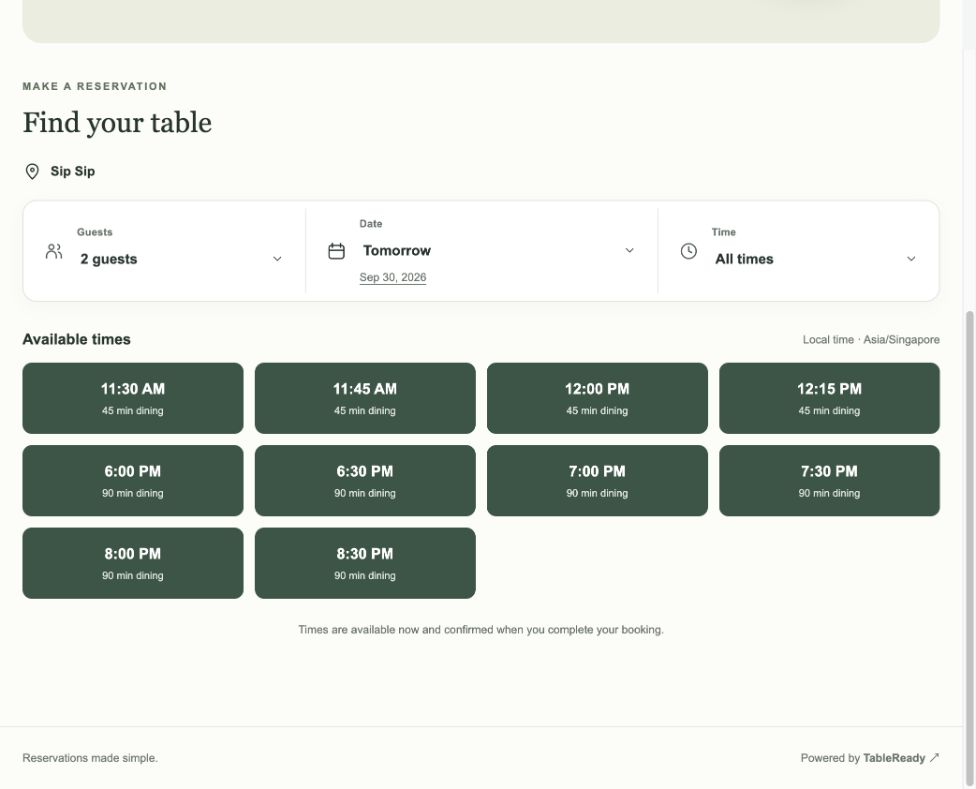
Guests select their party size, date and an available time. Dining duration is visible, so expectations are clear before they arrive. For a dining group, eligible outlets can appear on one merchant booking page.
BookingOS / TableReady
Make booking easy for guests. Make service easier for your team.
TableReady is Rewardly’s restaurant reservation and table management system for Singapore restaurants, cafés and dining groups. Accept online bookings, organise the floor, manage walk-ins and recognise returning guests—from one restaurant workspace.
THE GUEST EXPERIENCE
 View screen
Their next table. A few simple choices away.
Online restaurant booking
Give guests a direct booking page they can open from a shared link—without downloading an app or waiting for someone to answer the phone.
Guests select their party size, date and an available time. Dining duration is visible, so expectations are clear before they arrive. For a dining group, eligible outlets can appear on one merchant booking page.
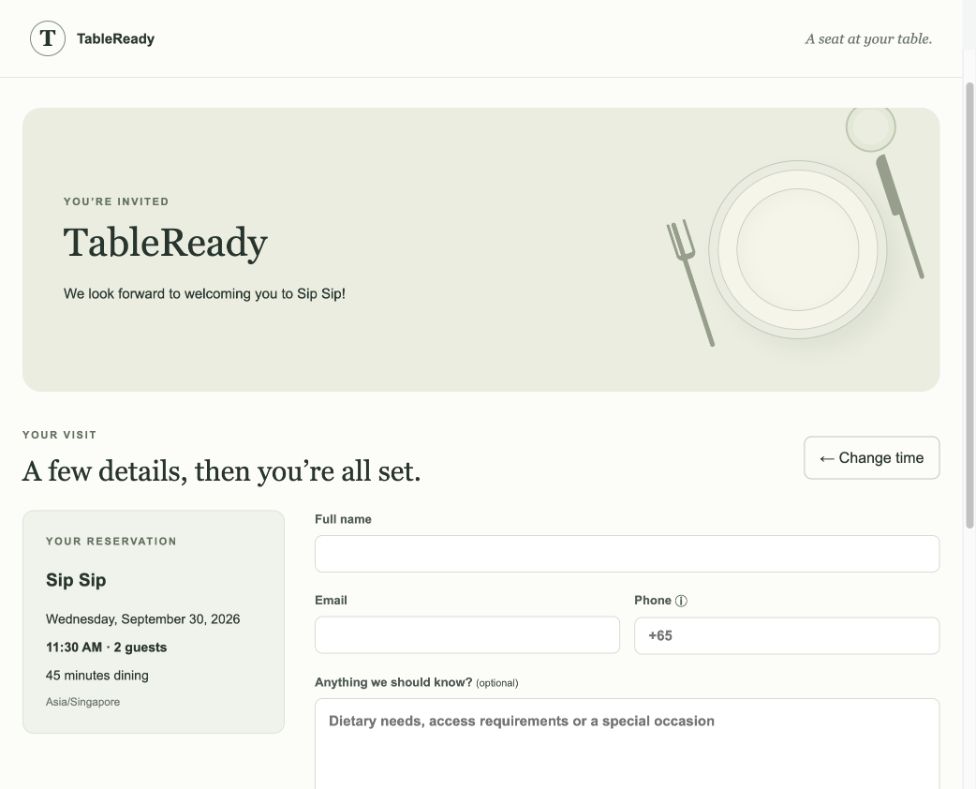
Collect contact details alongside dietary needs, access requirements or a special occasion. Your host has context for a thoughtful welcome, not just a headcount.
Guests review the restaurant’s booking policy before submitting. Confirmed public bookings receive a reference and an email with a verification link.
 View screen
 View screen
A DIRECT ROUTE TO THE NEXT VISIT
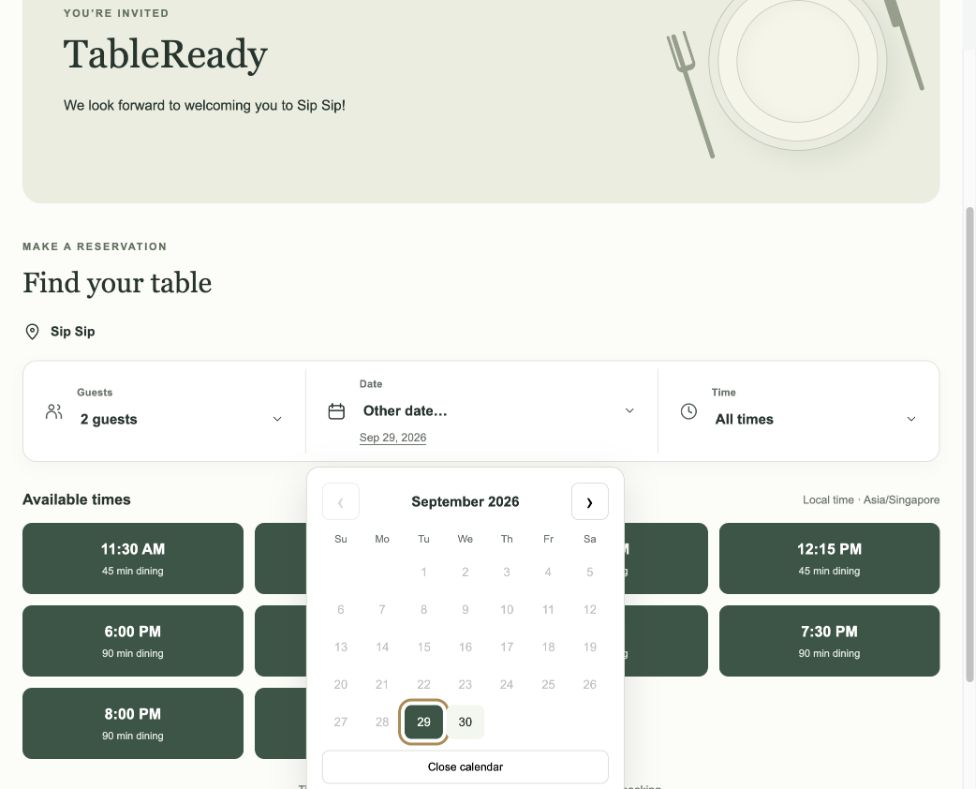
A familiar calendar, clear party-size choices and visible dining times make it easy to explore the next visit. Your restaurant stays in control of how far ahead guests can book and which services are available.
Share the booking page from your website and customer communications. Guests reach your own reservation flow, with your outlet’s rules guiding the available choices.
Let the booking page handle the routine choices, while your team handles the welcome. Availability follows the rules you set for your restaurant.
Restaurant reservation & table management
Bring online bookings, staff-entered reservations and walk-in demand into a working picture of the restaurant.
A reservation book and calendar put arrival times, party sizes and booking status within reach. Adjust a booking with a confirmation step, and prepare for the next wave of guests.
Organise seating areas and tables, assign reservations and work with available, reserved, occupied, dirty and blocked states. Give the host a visual reference for the seating conversation.
Keep a digital waitlist with party size, quoted waiting time and progress. Staff can move a waiting party into the seating workflow instead of maintaining a separate paper list.
YOU SET THE PACE
Set recurring lunch and dinner services, arrival intervals, dining duration, party-size limits and guest or group capacity. Add closures and special-day rules. Guided setup helps managers review the schedule before saving.
Guest CRM for restaurants
Give hospitality a little more context, even when a different team member is at the door.
Guest profiles bring reservation history, tags, preferences and staff notes together. Record the information your team needs to recognise returning guests and prepare for a visit.
New public bookings link to the outlet’s guest records. Email verification helps validate the address before existing profile contact details are refreshed.
Review reservation, cover, waitlist and table information in reports. Use the pattern to guide staffing and service planning, with exports for further review.
THE RIGHT ACCESS FOR THE RIGHT TEAM
Role-based staff access separates hosting, management and administration. Give team members access to their assigned outlets, while managers oversee the booking rules and reports they need.
A booking is not permission to send marketing. Guest contact information and staff notes should be handled according to your access and consent policies.
Native to the Rewardly ecosystem
TableReady brings the reservation side of the guest journey into Rewardly’s connected restaurant platform.
Reservations, guest details and the seating plan.
Selling, ordering and the restaurant’s checkout workflow.
The customer-facing Rewardly experience and relationship.
NATIVE REWARDLY POS CONNECTION
TableReady includes a built-in Rewardly connection for importing POS tables and sections, and synchronising Rewardly members into TableReady guest records. Reduce duplicate setup and give staff a more connected customer view.
Explore Rewardly POSREWARDLY CUSTOMER APP
Plan TableReady alongside your Rewardly Customer App so the reservation experience complements your membership and loyalty experience. Ask us to demonstrate the booking entry point and guest journey in your app configuration.
Discuss your customer journeyThe current native connector covers table and member imports. Live two-way reservation, order, payment and loyalty-balance synchronisation—and the Customer App booking entry point—must be confirmed for your deployment. The journey above describes how the products fit together, not an automatic data-sync promise.
Clear expectations before arrival
Let guests understand the restaurant’s terms while the visit is taking shape.
Show the dining duration with the available slot. Help guests choose a service that fits their plans and help your team plan the next seating.
Present the configured cancellation policy before the guest confirms. Staff can see email verification separately from reservation status.
Where configured, require an Adyen-powered payment per reservation or per guest before confirmation. Agree the amount and policy for your business; provider setup and fees apply.
Built around your restaurant
A neighbourhood café and a multi-outlet dining group have different rhythms. Configure the booking journey around yours.
Take bookings directly, capture special requests and plan table assignments before guests arrive. Make returning easier with a clear route to the next reservation.
Set sensible dining windows and booking limits, then keep waiting parties visible alongside the live service. Protect room for the way your café actually trades.
Give guests one merchant booking page with eligible outlet choices. Keep opening hours, capacity, closures and policies specific to each restaurant, with access scoped to the team.
From enquiry to first seating
Bring your floor plan, service hours and busiest seating scenario. We’ll walk through the guest booking journey and the host’s workflow together.
TABLEREADY QUESTIONS
Good questions
TableReady is the restaurant reservation and table management solution in Rewardly BookingOS. It combines online booking pages, a reservation calendar, floor plans, waitlists, guest records and reporting for restaurant teams.
With TableReady, a restaurant publishes a merchant booking page and shares its link with guests. Guests choose an eligible outlet, party size, date and available time, then provide their details and review the booking policy. Availability follows the outlet’s configured hours and capacity rules.
No app download is required for the public TableReady booking page. Diners can open the booking link in a web browser. A Rewardly Customer App booking entry point should be demonstrated and confirmed for the restaurant’s app configuration.
Yes. TableReady includes a native Rewardly connector to import POS tables and sections and sync Rewardly members into TableReady guest records. Additional two-way reservation, order, payment or loyalty-balance flows need to be confirmed for the specific deployment.
Yes. TableReady includes staff-entered reservations and a digital waitlist with party size, quoted waiting time and status. Staff use the reservation and seating workflows to manage arrivals and waiting parties.
Yes. Eligible outlets can share a merchant booking page while maintaining outlet-specific service hours, dining duration, party-size limits, capacity, closures and booking policies.
Online booking lets guests choose an available date, time and party size before visiting. Table management helps the restaurant team organise seating areas, assign reservations and track the floor during service. TableReady provides both, alongside a digital waitlist for walk-ins.
Yes. TableReady supports role-based access and assigned group, merchant and outlet scopes. Hosts, managers and administrators can work with permissions appropriate to their responsibilities.
TableReady supports visible booking policies, confirmation emails, email verification status and reservation payment where configured. These tools help set expectations and support follow-up, but do not guarantee attendance. Email verification does not automatically cancel an unverified confirmed booking.
Where the outlet’s Adyen integration is enabled, a payment can be required per reservation or per guest before confirmation. Payment-provider approval, fees, policy and reconciliation arrangements must be agreed. Refund handling is separate from cancelling a reservation.
Request a quotation based on your outlets, required modules, integrations, onboarding and support. Ask for payment-provider charges and any Customer App work to be itemised so you can compare the complete scope.