
 Enlarge image
Make the counter work harder.
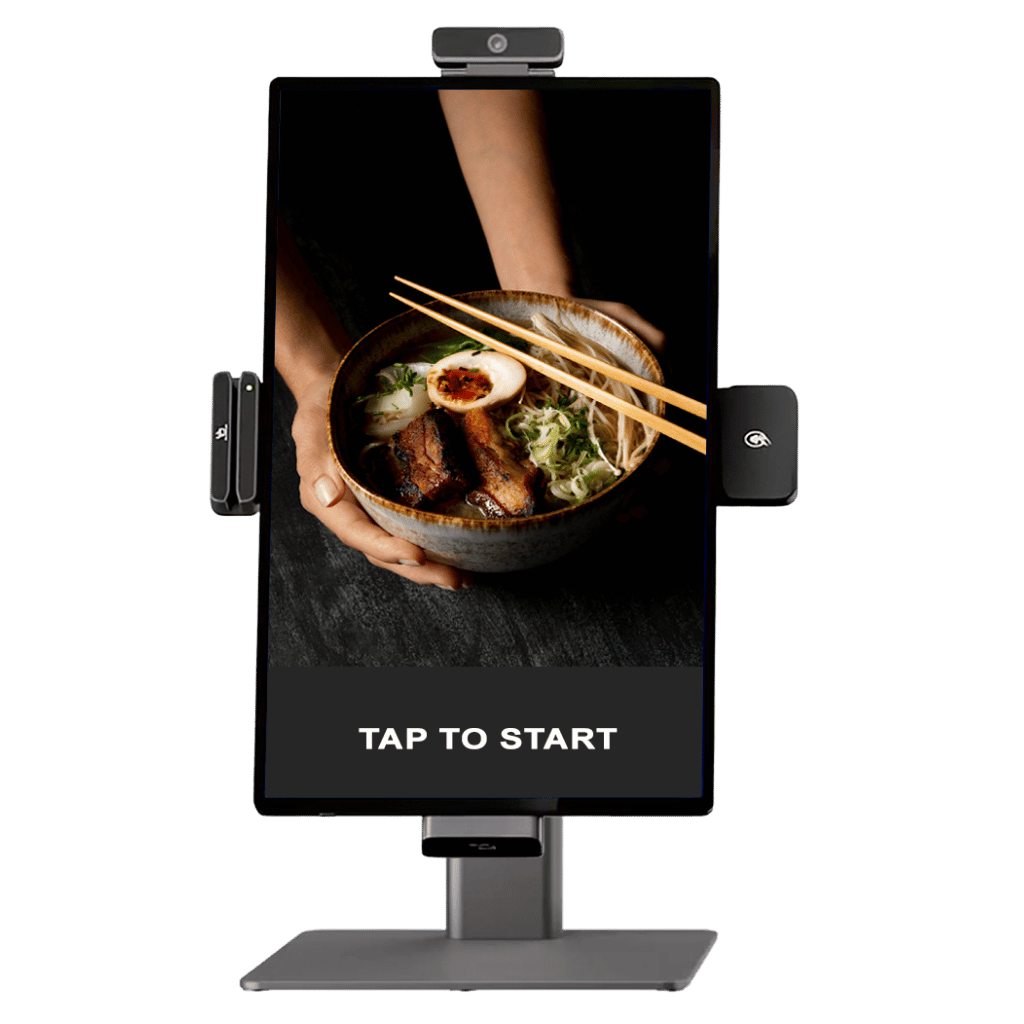
A compact format creates a dedicated self-ordering point without a full-height installation.
CommerceOS / Self-ordering kiosk
Self-service ordering. Connected payments. Loyalty that stays in the journey.
Give customers a visual menu they can explore at their own pace. Rewardly’s self-ordering kiosk brings product choices, add-ons, vouchers and gift cards into the ordering experience, with a setup designed around your restaurant or café.
 Enlarge image
A place in your operation
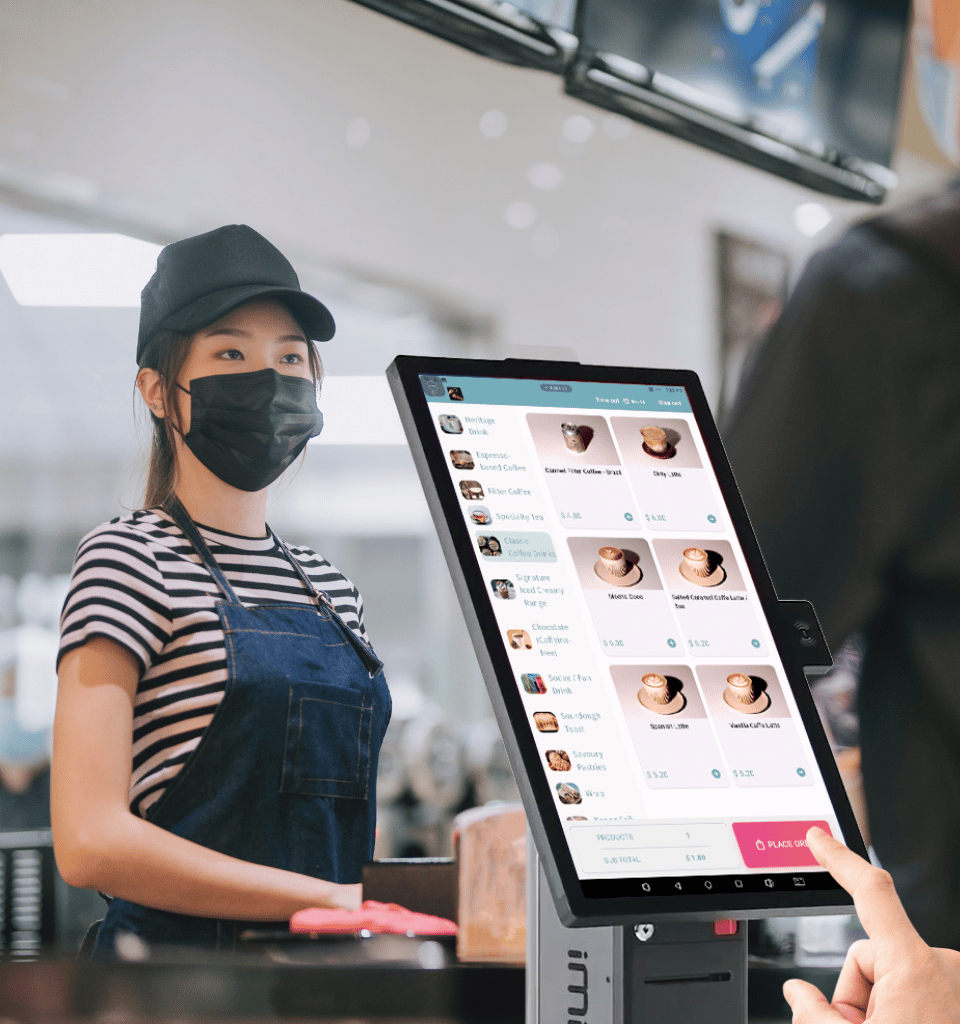
Explore compact counter and floor-standing formats. Choose the device, placement and supported peripherals around your space and customer journey.
Enlarge imageA compact format creates a dedicated self-ordering point without a full-height installation.
 Enlarge image
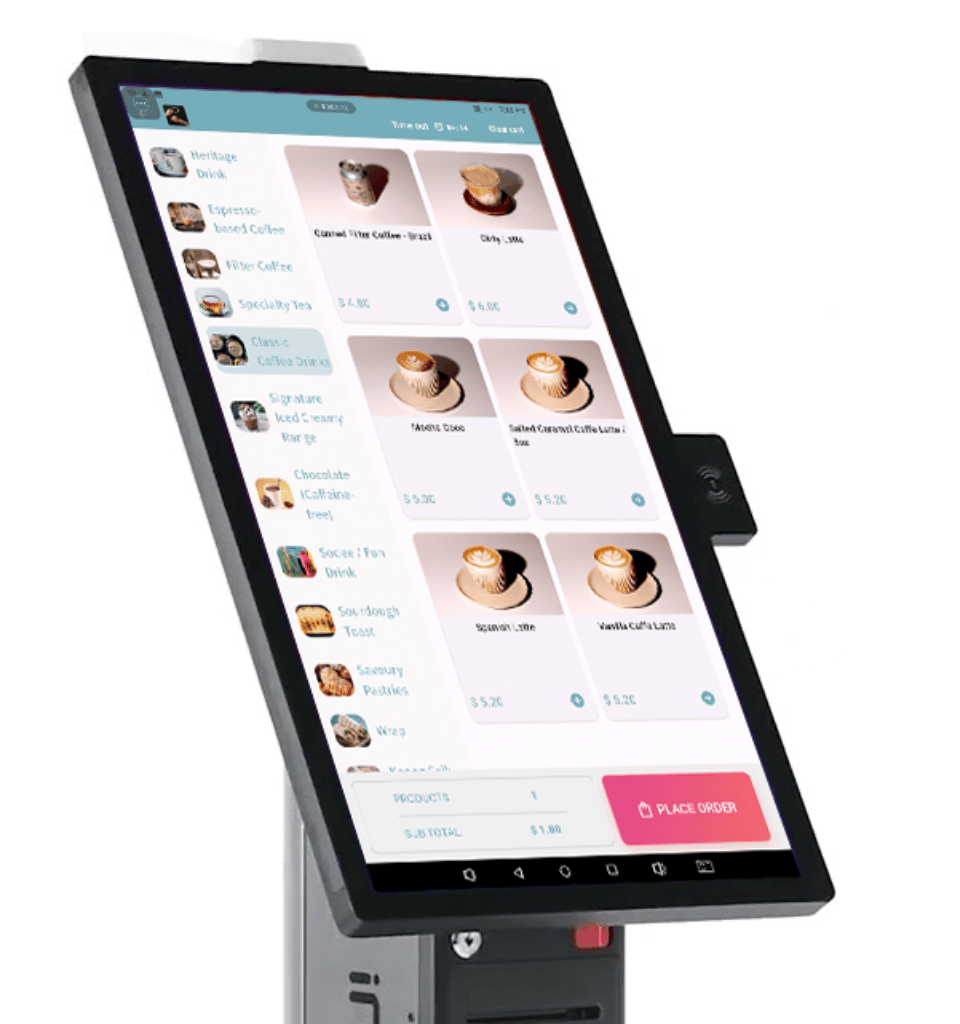
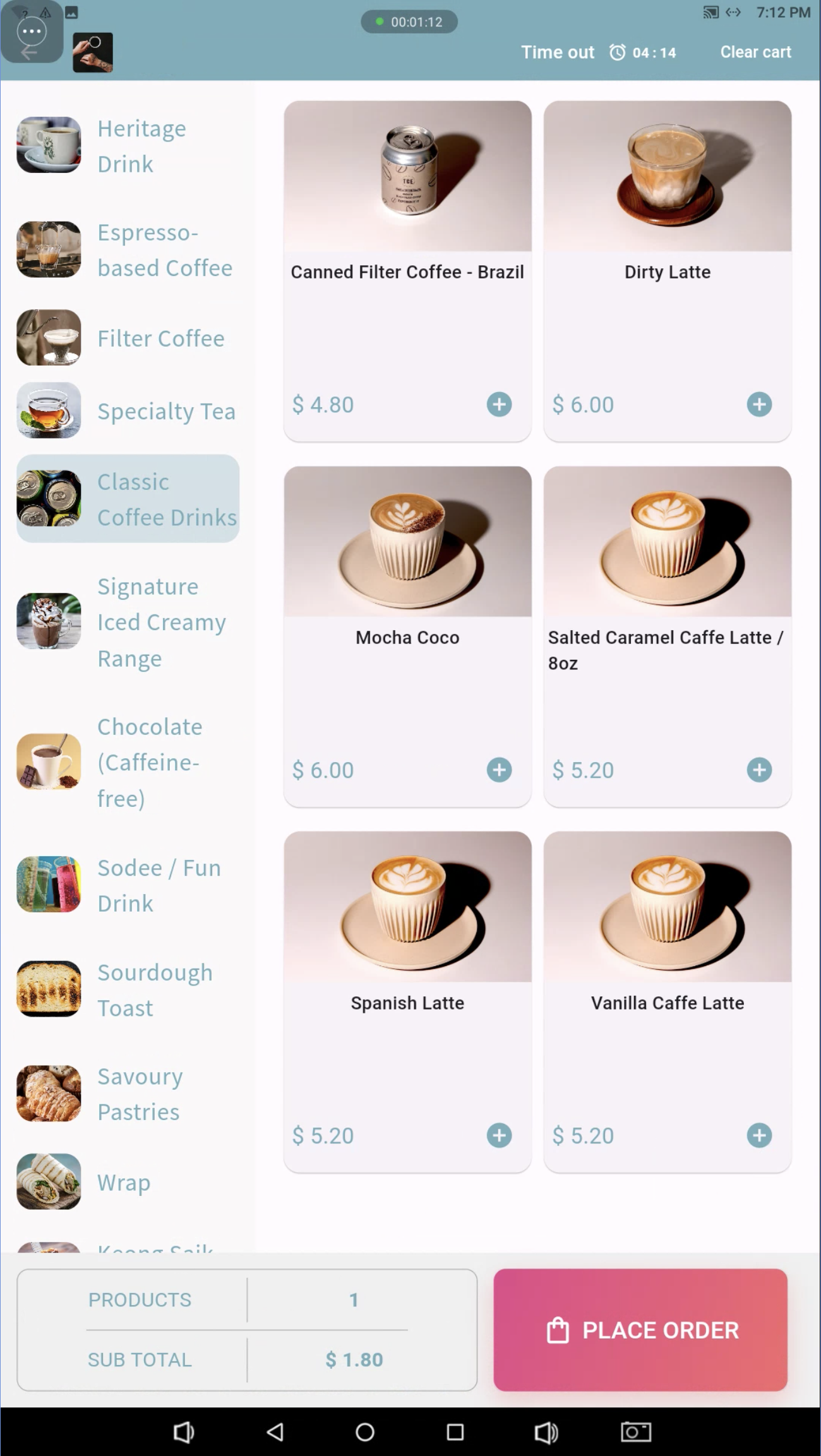
Large product images, clear categories and an on-screen basket help customers explore their choices.
 Enlarge image
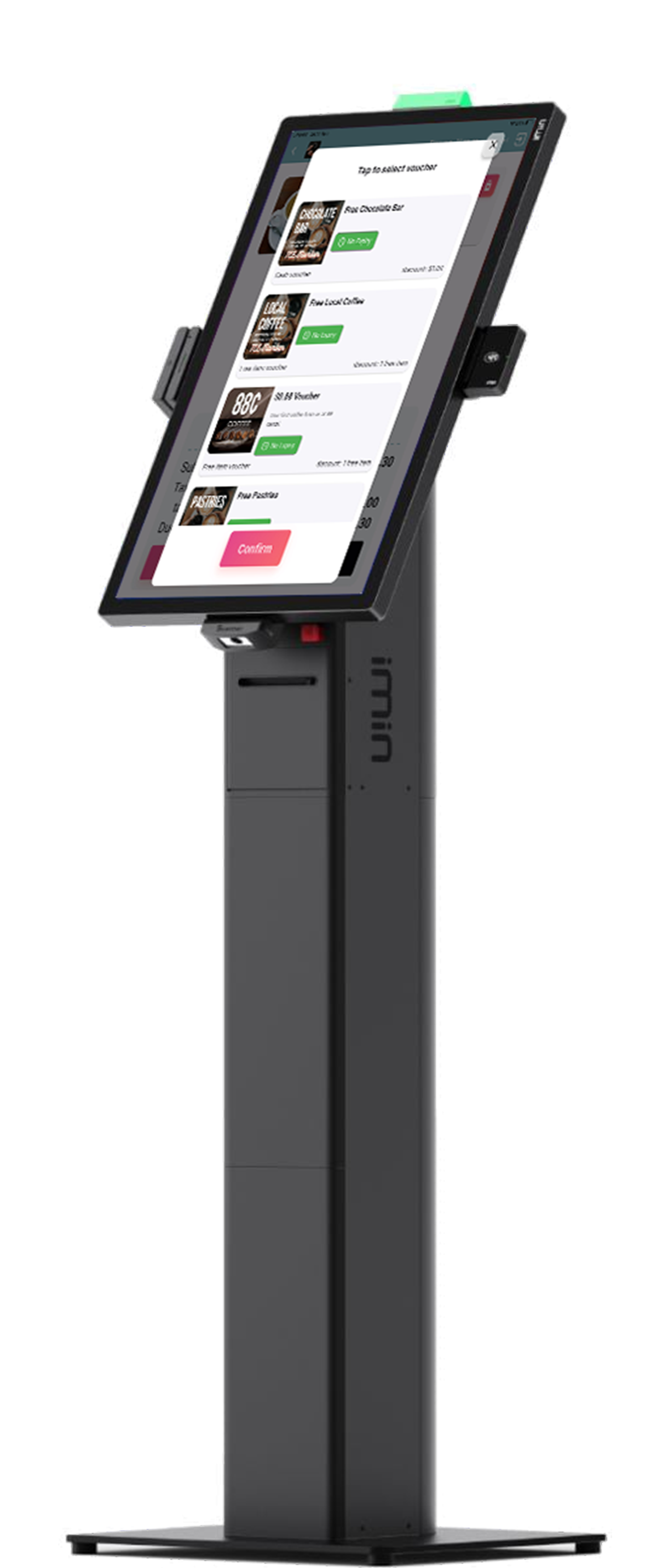
Position a floor-standing kiosk along the customer journey, with rewards available before checkout.
Hardware images illustrate possible configurations. Confirm device dimensions, payment readers, scanners, printers and included modules in your quotation.
01 / Self-ordering experience
Bring your brand and products into the self-ordering experience. Customers can browse drink and food categories, view product images and prices, and keep an eye on their basket and subtotal as they order.
 Enlarge image
02 / Self-ordering experience
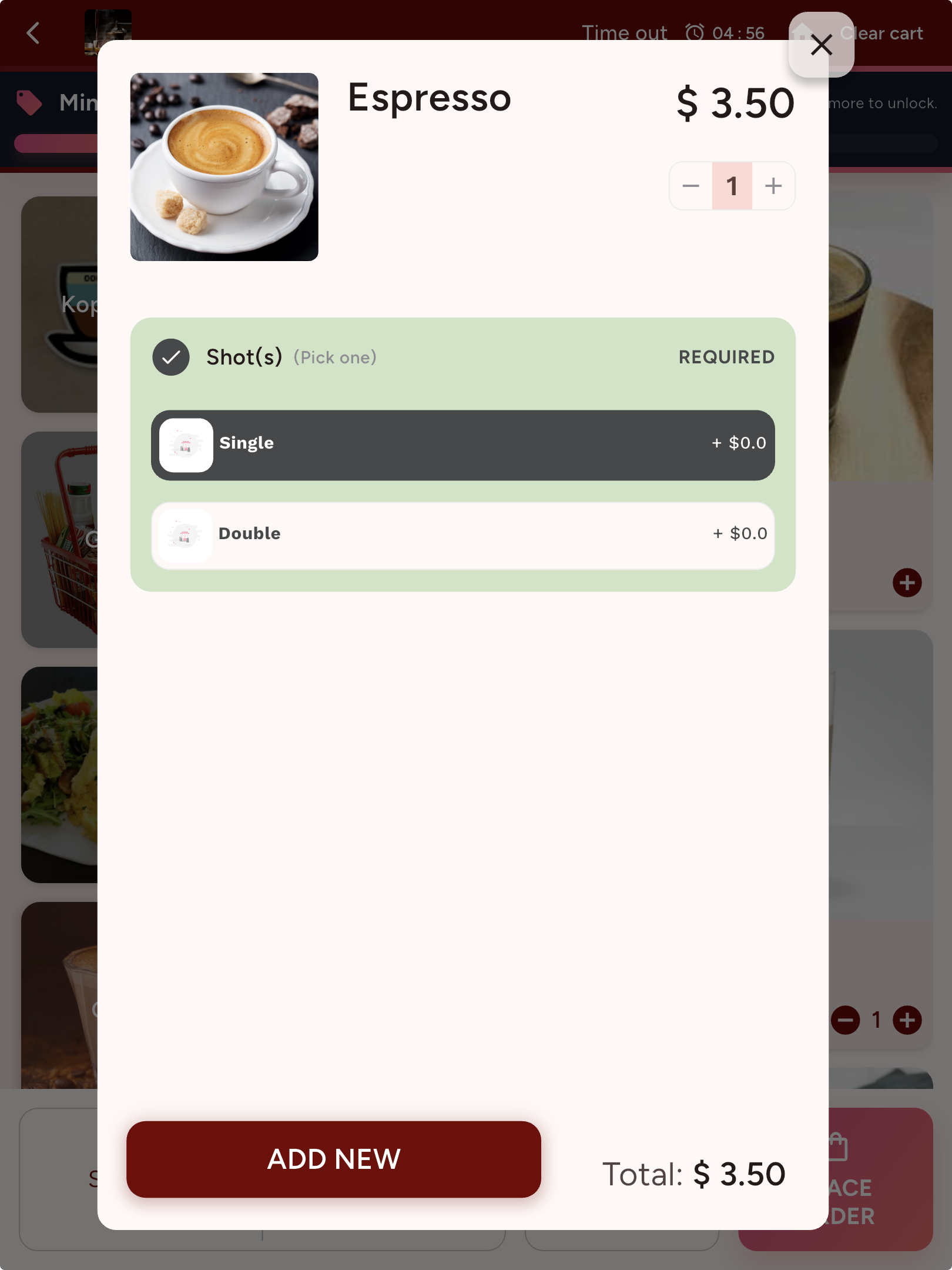
Required selections are separated from optional extras. Customers can review product options before adding an item to the basket.
 View screen ↗
03 / Self-ordering experience
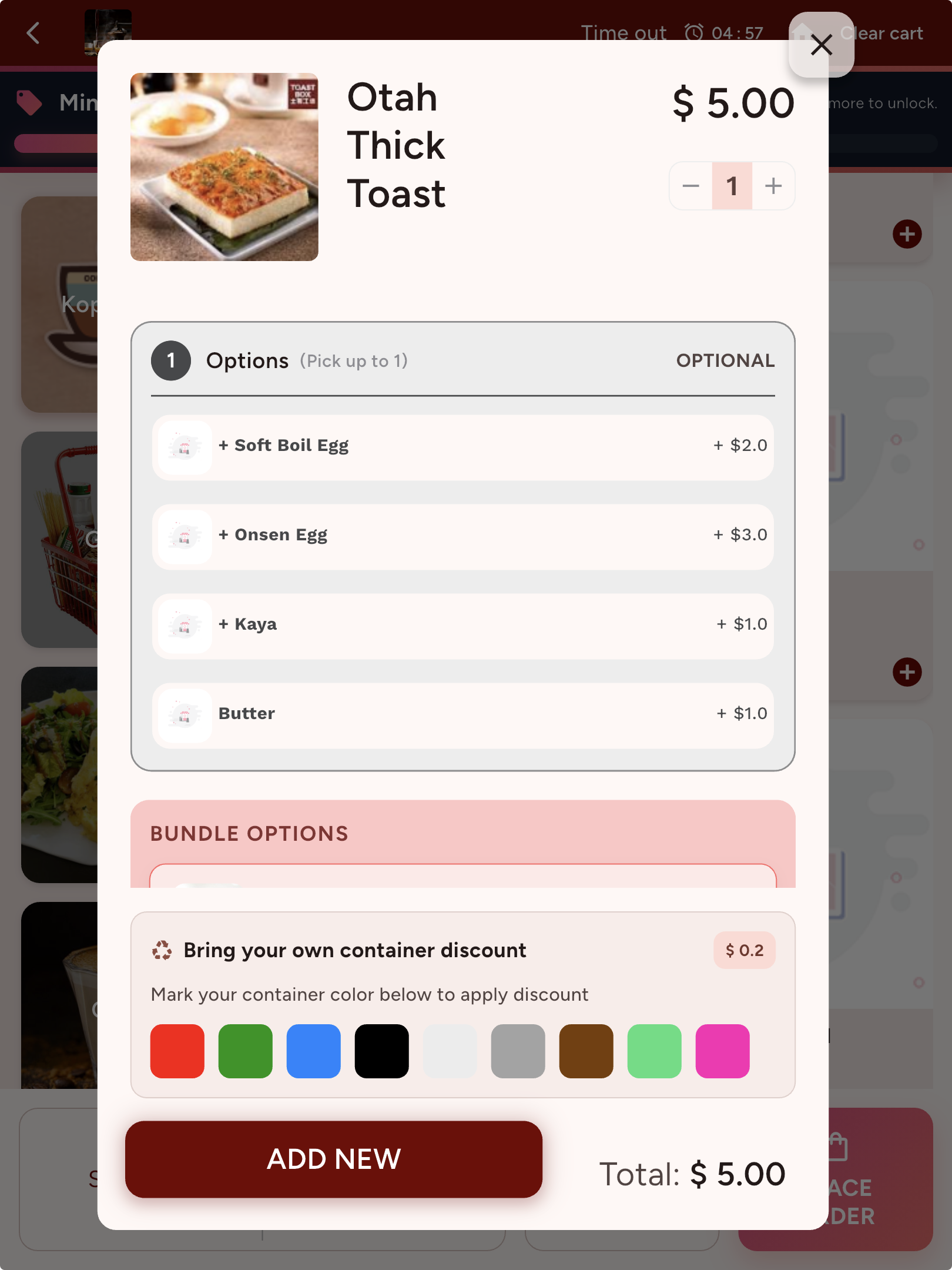
The actual product flow includes optional add-ons, bundle options and a bring-your-own-container discount when configured for the merchant.
 View screen ↗
04 / Self-ordering experience
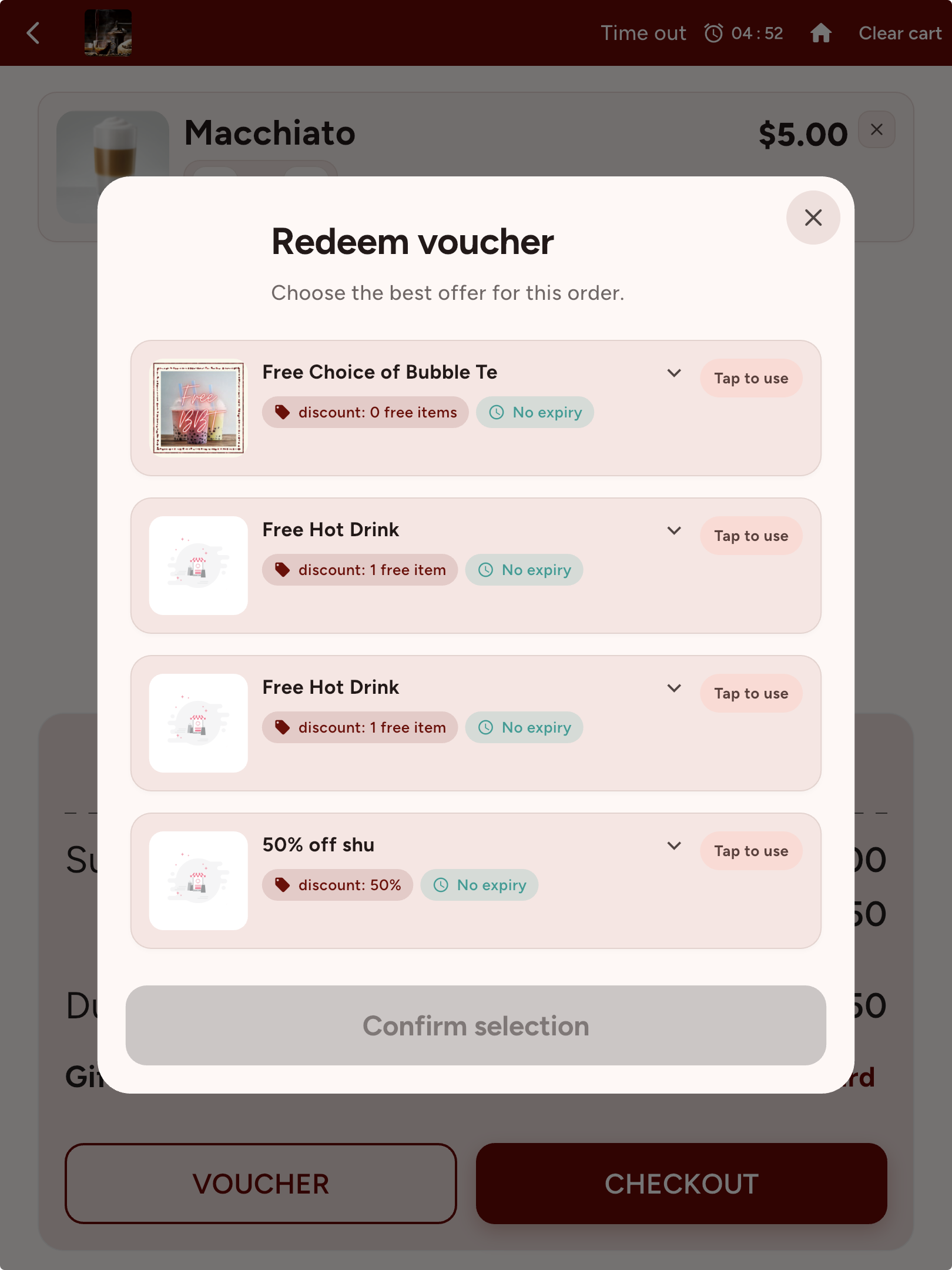
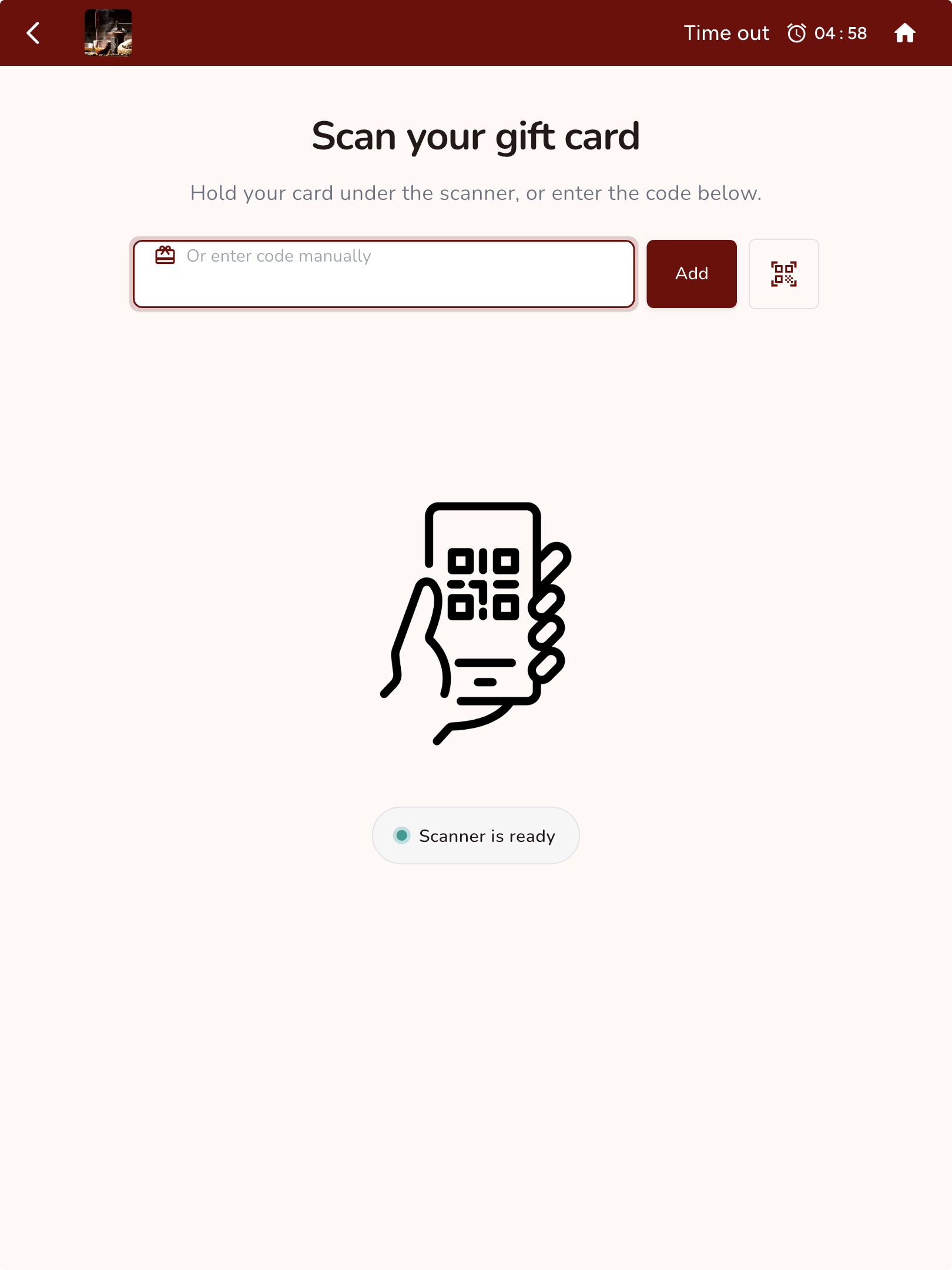
Customers can review available vouchers before checkout. Gift cards can be scanned or entered manually on the dedicated redemption screen.
 View screen ↗
05 / Self-ordering experience
The kiosk includes a scanner-ready gift card screen with a manual-code alternative. Confirm compatible scanners and programme setup in your demo.
 View screen ↗
 Enlarge image
From order to checkout
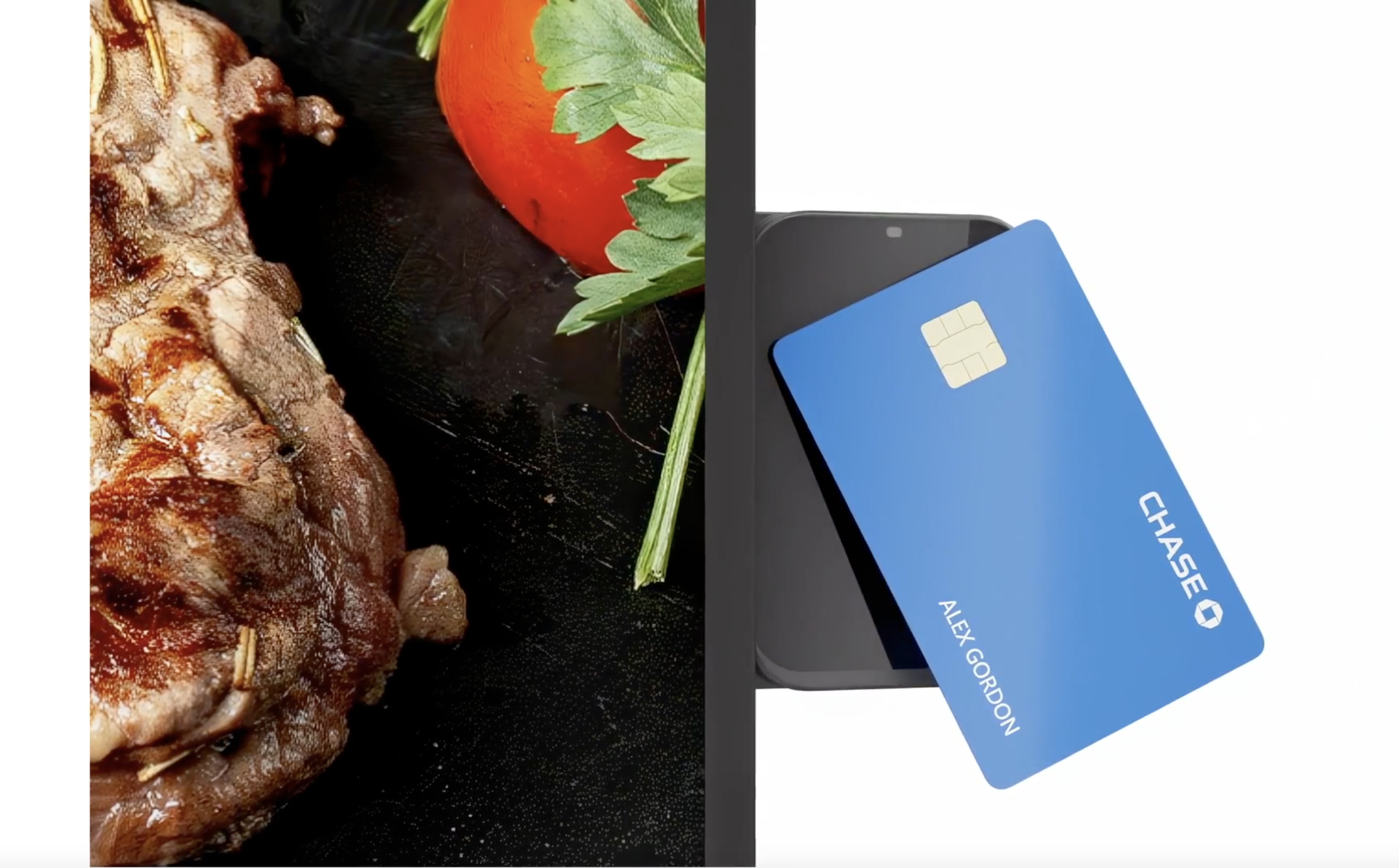
Bring a compatible contactless payment reader into the kiosk setup so customers can complete the next step without a separate ordering conversation.
Payment methods depend on your approved provider, terminal and integration. We’ll confirm the supported checkout flow with your hardware configuration.
Explore PaymentOSConnected restaurant service
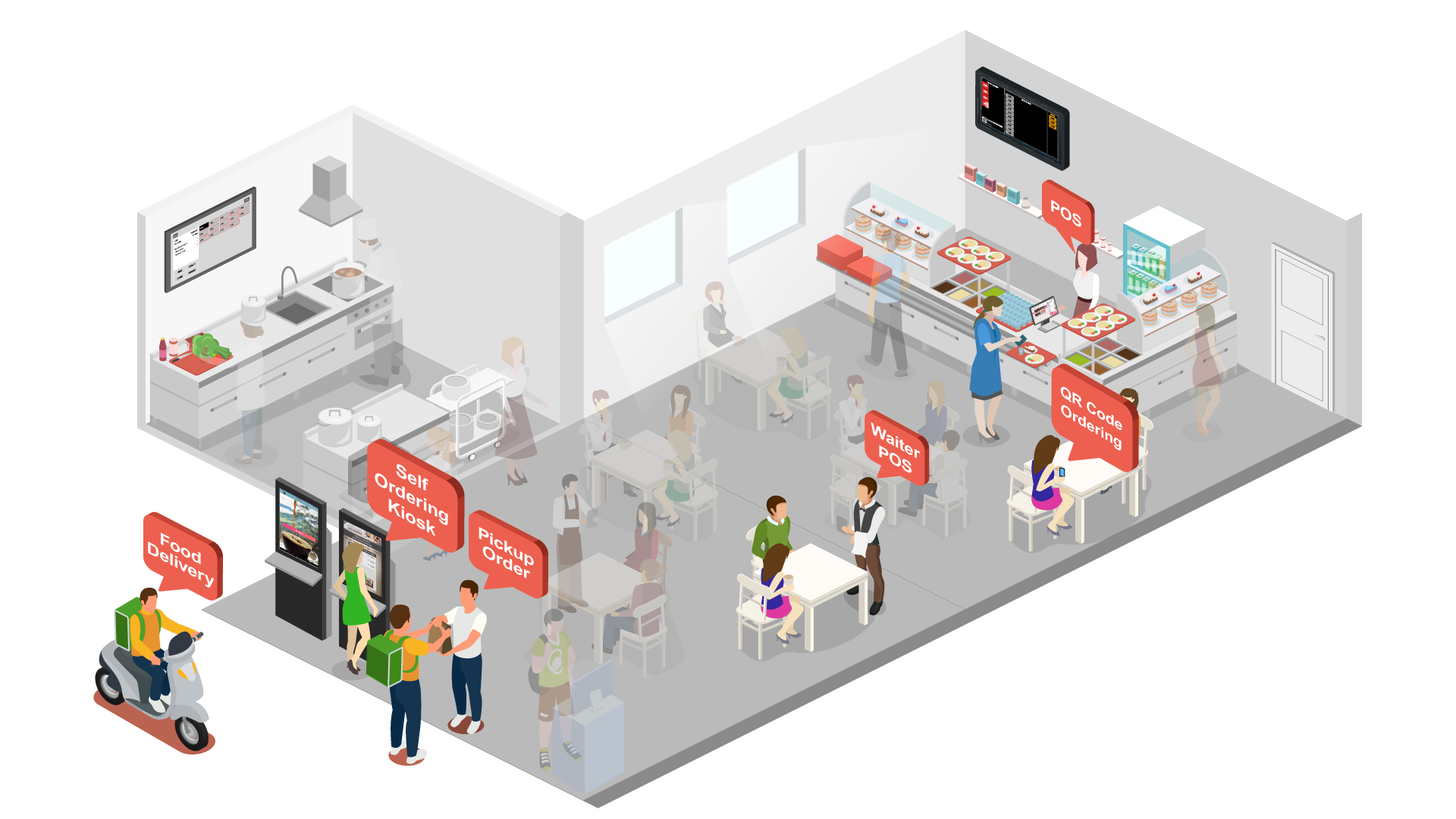
Plan the kiosk alongside your counter POS, QR ordering, kitchen display and collection workflow. Give customers more ways to order while keeping preparation and handover in view.
 Enlarge image
Let customers browse and customise at the kiosk, alongside your other ordering channels.
Connect the agreed order flow to kitchen operations so the team can work from the order details.
Plan a clear pickup point and collection process that suits your service style.
Illustration shows a possible operating model. Channel routing, kitchen displays, collection tools and delivery integrations are configured to your agreed scope.
Kiosk in the real world
A branded self-ordering touchpoint, right beside the food counter.
This supplied installation photo shows Rewardly’s kiosk in the Shawarma Shack setting—from the welcome screen to its position within the outlet.
Bring your floor layout to a demonstration. We can discuss where self-ordering belongs in your customer flow.
Plan your installation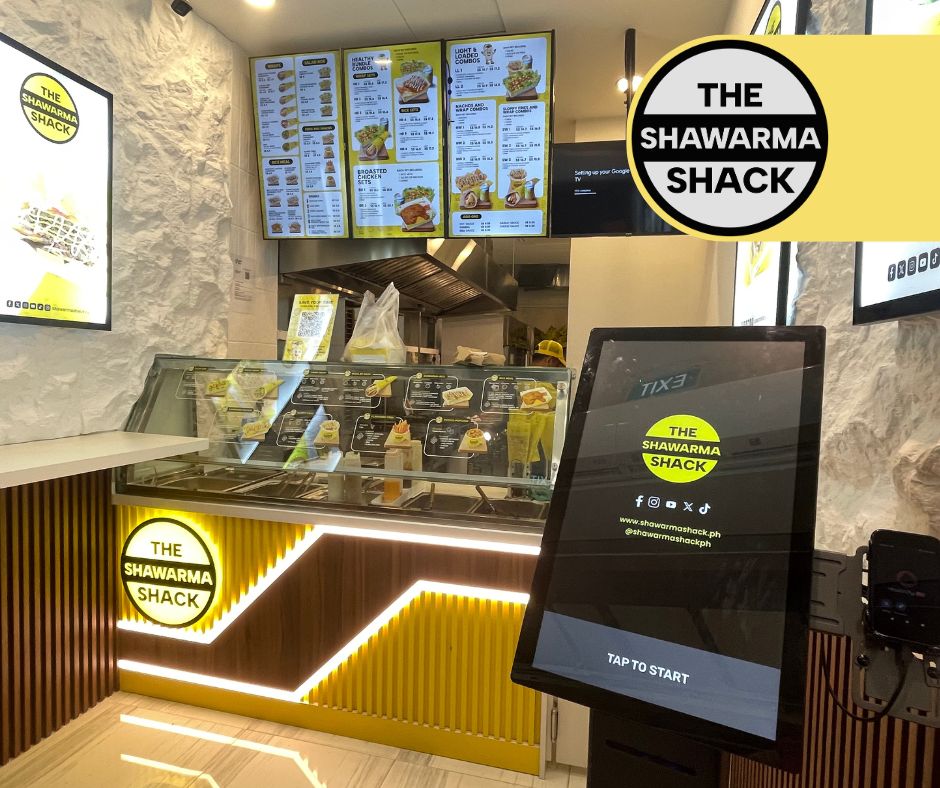 Enlarge image
Keep exploring
A cloud POS for Singapore cafés, restaurants and retailers. Take an order, customise it and complete checkout—with the wider operation close at hand.
Explore Rewardly POS ↗02 / CommerceOSKeep order details, modifiers and collection status visible in Rewardly KDS. Show the kitchen the information it needs to prepare and hand over each order.
Explore Kitchen display system ↗03 / Customer engagementConnect memberships, points, digital stamps, vouchers and store credits with the customer’s ordering experience across Rewardly touchpoints.
Explore LoyaltyOS ↗Your business. Your workflow.
Bring your menu, your busiest service scenario and your questions. Let’s walk through them in Rewardly.
Good questions
Yes. Request a tailored demonstration using your menu, sales channels and operational requirements. The team can confirm device, payment and module compatibility before you choose a setup.
Rewardly’s kiosk includes voucher selection and gift-card redemption in the ordering journey. Available rewards and eligibility depend on the merchant’s configured loyalty programme and enabled modules.
Rewardly kiosk configurations include compact counter and floor-standing formats. Confirm device dimensions, placement, accessibility, supported peripherals and payment integration for your premises before ordering.
Scope, hardware, payment services and optional modules should be confirmed in your quotation. Screens illustrate available workflows, not a promise that every configuration is included in every subscription.