
Online and in-store
Review the payment journey for each channel, from a remote request to a counter sale.
PaymentOS / Online payment
Bring payment beyond the counter.
Give customers a way to pay online with RewardlyPay. Payment links extend your checkout beyond a physical terminal, while connected payment touchpoints help bring your online and in-store operation together.
 View checkout
A clear path to payment
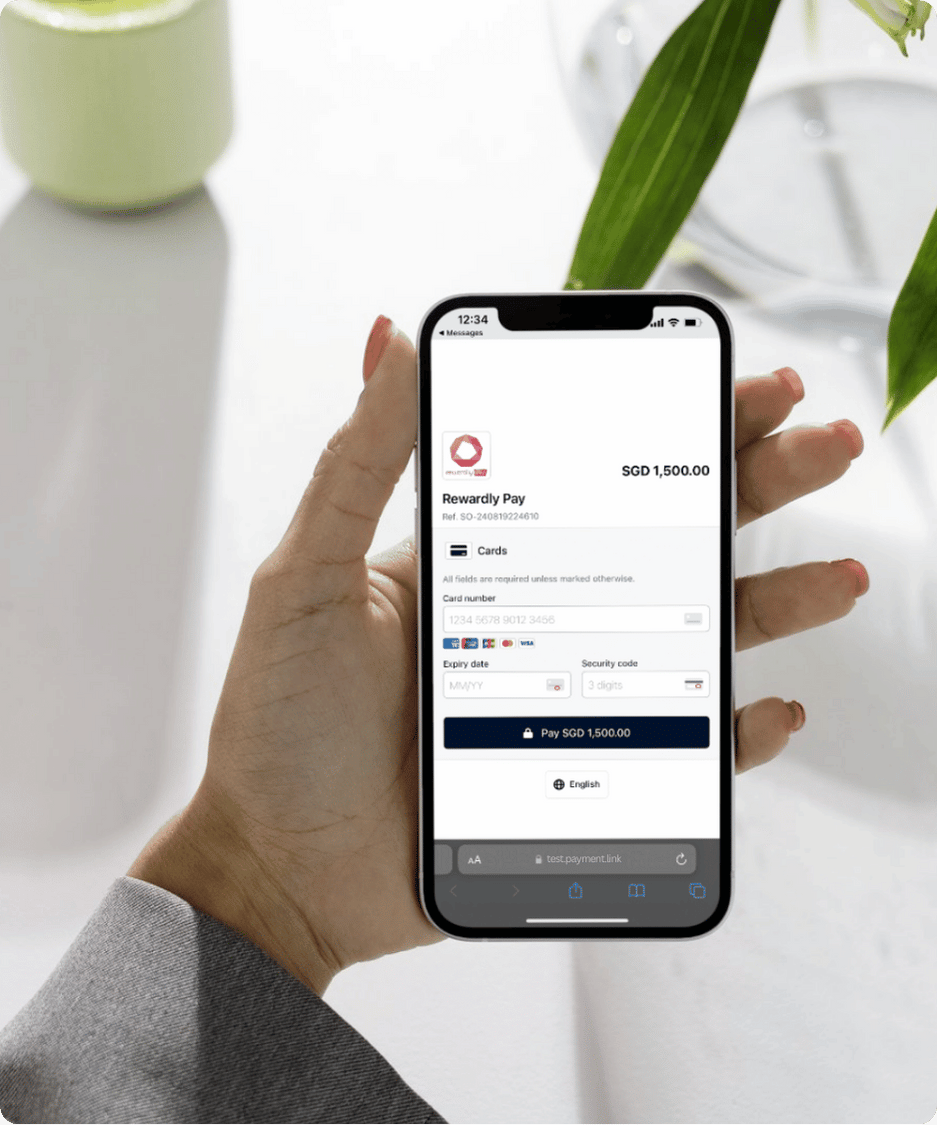
The illustrated checkout keeps the payment amount and reference above the card form, giving the customer context before they pay.
Check the merchant, amount and reference against the agreed purchase.
Use the payment options available on the checkout page.
Have your team verify the payment status in the merchant system before releasing goods or starting the agreed service.
A recommended customer and staff workflow. Sending a link, opening it or receiving a screenshot is not proof of successful payment.
Pay-by-Link
Send customers a payment link so they can complete payment on their own screen. Useful when the purchase is agreed away from the counter.
Make the request easy to recognise: explain what it covers, the amount due and what happens after payment. Keep card details out of messages; direct the customer to the payment checkout.
Discuss payment linksAcross your sales channels
RewardlyPay brings payment touchpoints into one platform to support reconciliation across channels. Plan online payments alongside the way your team already sells and serves.
Review the payment journey for each channel, from a remote request to a counter sale.
Decide when payment is required and who confirms it before an order moves forward.
Explore payment-linked loyalty with Rewardly. Confirm eligible payment channels and programme requirements before adding it to your customer journey.
Explore GoShanon ↗Set it up around your business
Start with your actual customer journey. Bring these four decisions to your payment walkthrough.
Where will customers pay, and what order or purchase reference should they see?
Which cards or other methods do customers need? Confirm online availability for your account.
Confirm online transaction rates, additional charges, settlement timing, refunds and dispute handling.
Agree how to verify payments, reconcile records and handle unsuccessful or duplicate attempts.
Online rates and method availability are quoted separately. In-person or hawker rates are not automatically applicable to online transactions. Integration scope and any additional services must be confirmed before launch.
Ready for your next channel
Walk through your online checkout requirements with RewardlyPay.
Good questions
Yes. RewardlyPay offers payment links. Confirm the available checkout options and the process for issuing and tracking links during your walkthrough.
Do not assume they do. Request an online payment quote covering transaction rates, applicable methods, additional charges and settlement terms.
Confirm the online methods enabled for your merchant account. The illustrated checkout shows a card payment form; terminal acceptance does not establish that every method is available online.
Verify the payment status in the merchant system and match the amount and reference to the purchase. A sent link or a customer-provided screenshot is not sufficient confirmation.
Discuss your ordering system, payment channels and reconciliation requirements with Rewardly. Confirm compatibility and the integration scope before implementation.
Bring an example purchase, your expected transaction volume, required payment methods and existing systems. Include your fulfilment, refund and reconciliation processes so the walkthrough reflects your operation.