Self-ordering technology for dine-in, take-out, delivery and pre-orders—with loyalty built into the customer journey.
Let guests browse, customise and order on their own phones. Then give them a reason to come back through membership, points, digital stamps and vouchers. All connected with Rewardly POS.
Digital ordering for Singapore restaurants, cafés and F&B groups.
From a first order to a reason to return.
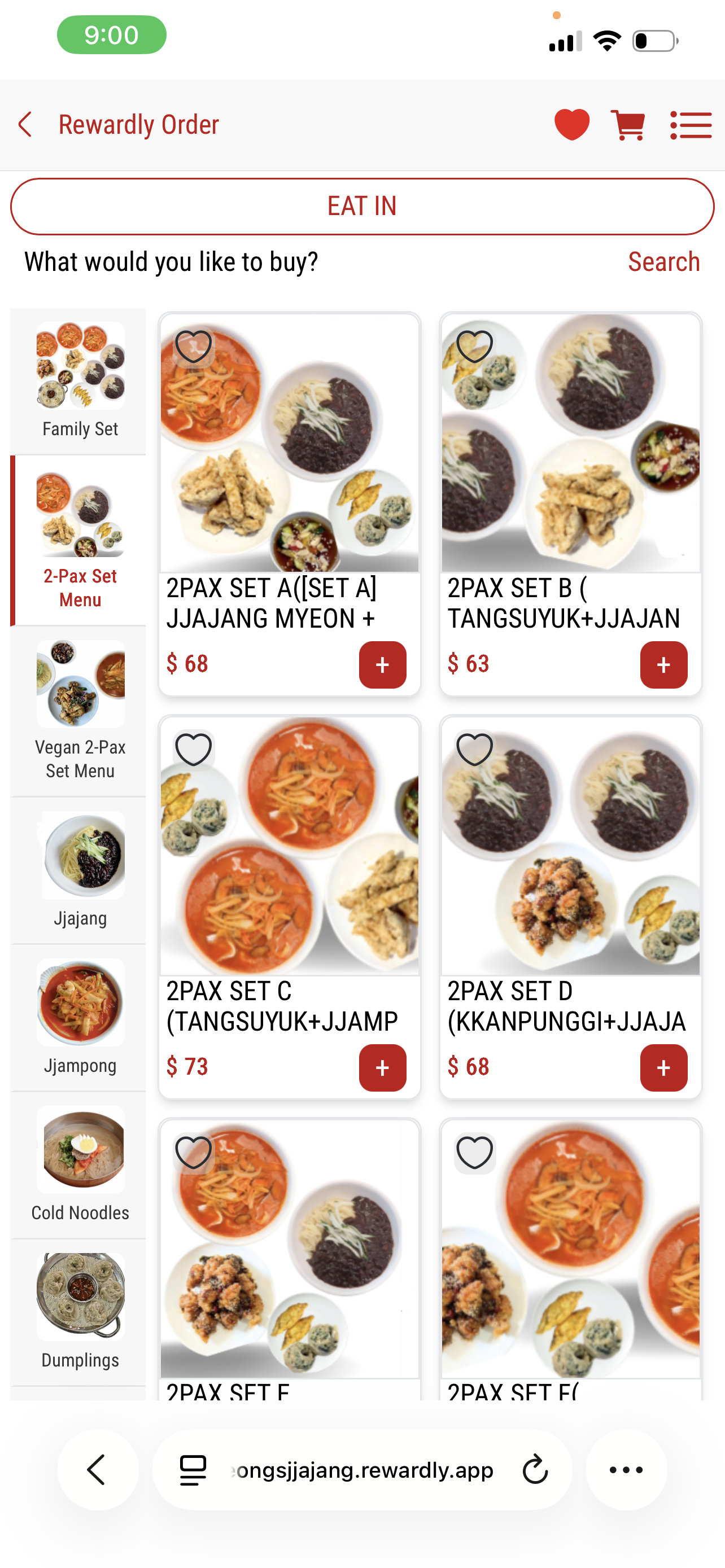
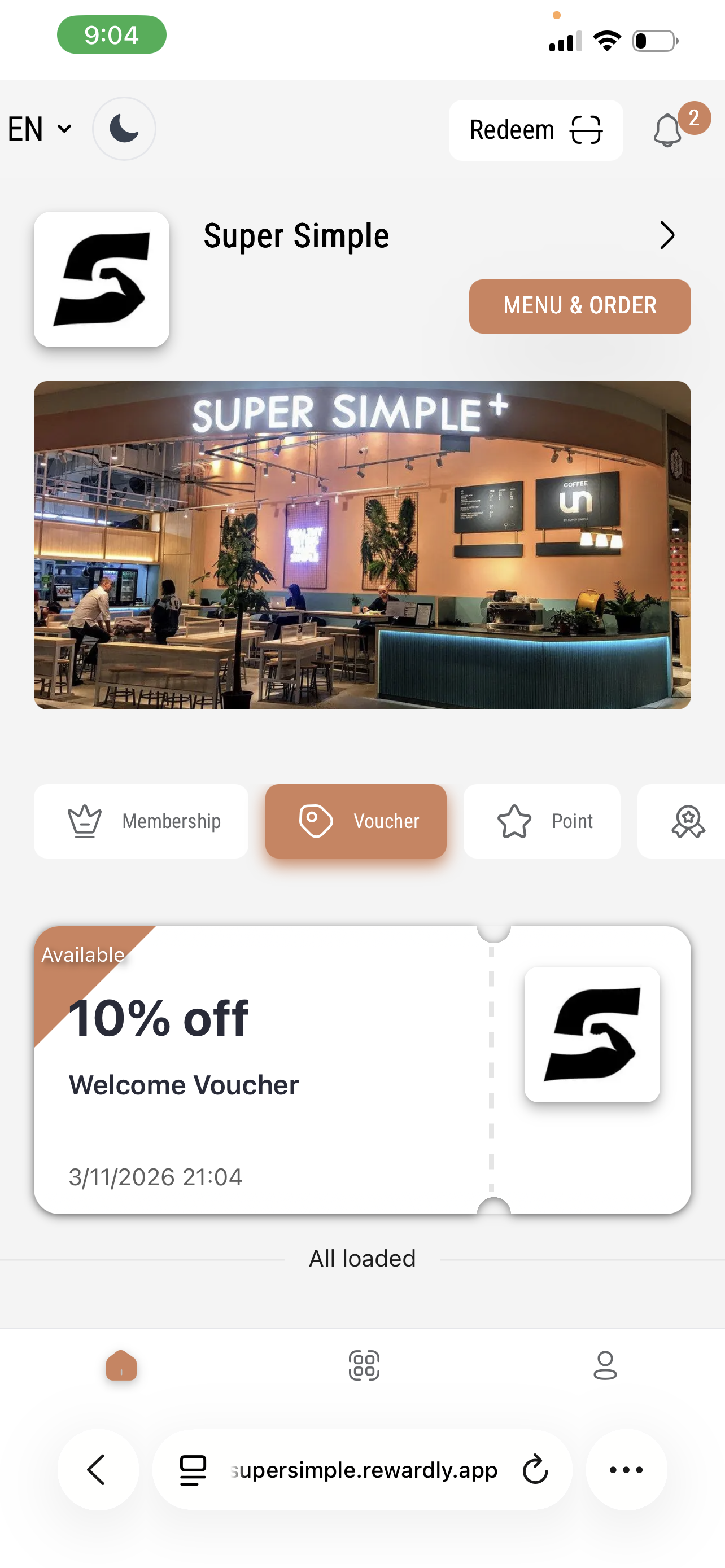
View screen01 / Make ordering easyJeong’s Jjajang · digital menuView screen02 / Keep the connectionSuper Simple · welcome reward
One ordering experience. More possibilities.
At the table. On the go. Ahead of time.
Rewardly QR ordering connects the way your customers want to order with the way your team prepares and fulfils it. Start with the channels you need, then expand your digital ordering setup as your business grows.
01
Dine-in QR ordering
Scan. Browse. Order at the table.
Guests explore your digital menu and choose their dishes on their own phones. Give them more control over their order while your team focuses on hospitality.
For restaurants, casual dining and busy cafés.
02
Take-out & collection
An easier way to order to go.
Give customers a direct self-ordering route for takeaway. Let them select their food and options without every choice becoming a conversation at the counter.
For lunch crowds, coffee runs and quick-service outlets.
03
Delivery ordering
Bring your menu beyond the outlet.
Accept delivery orders through your digital ordering channel and connect them with preparation and fulfilment. Agree delivery coverage, fees and fulfilment arrangements during setup.
For neighbourhood delivery and online F&B businesses.
04
Pre-order online
Let customers plan their next meal.
Customers choose a date and time from your configured ordering options. Bring planned demand into view so your team can organise preparation ahead of collection or delivery.
For scheduled meals, group orders and planned occasions.
Ordering modes, payment options, time slots and fulfilment services are configured for each merchant and confirmed in your implementation scope.
Digital menu / Customer-led ordering
Make every choice clear before it reaches the kitchen.
A digital menu should do more than display a list of dishes. Give guests food photography, categories, prices and structured choices so they can build the order they actually want.
Browse with confidence. Image-led menus make dishes and sets easier to explore.
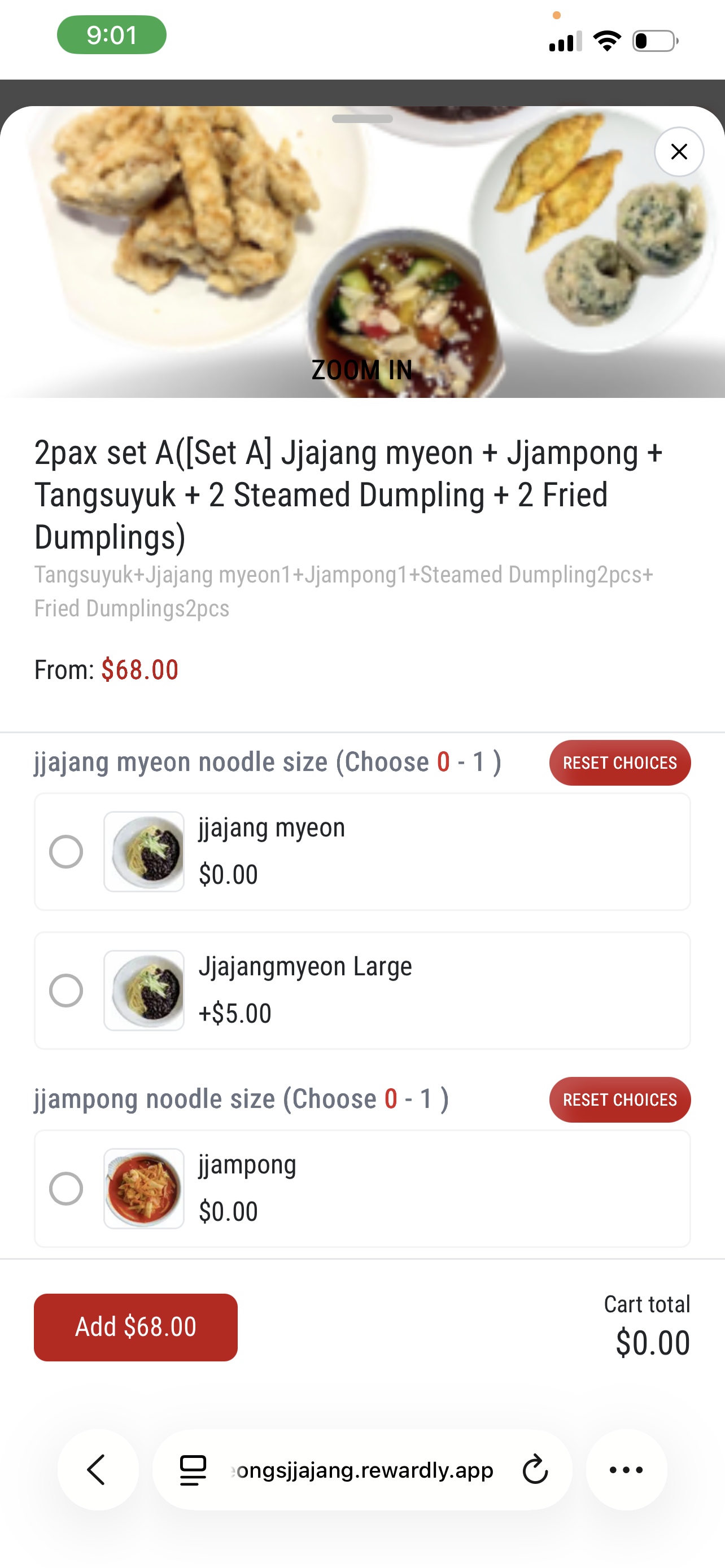
Personalise the order. Present sizes, choices and add-ons with their prices.
See the basket take shape. Keep the cart total visible as customers add items.
For your team, a clearly captured order means less back-and-forth over the details—and more attention for the guest.
View screenChoose the details, not just the dish.Jeong’s Jjajang · meal customisation
Pre-orders / A little more planning
The next order doesn’t have to be right now.
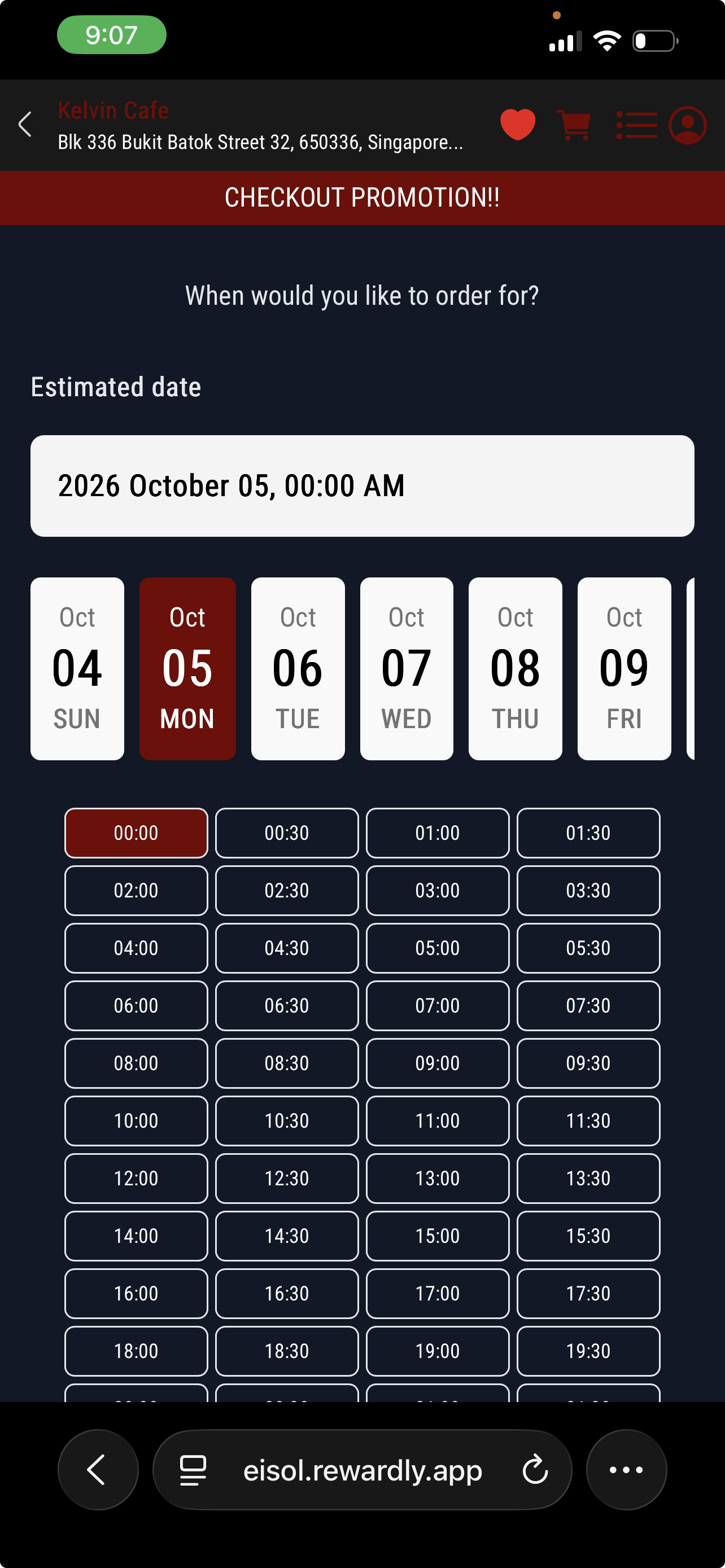
Make online pre-ordering part of your restaurant’s service. Customers can select a date and time instead of leaving their plans in a message or waiting to order when they arrive.
Use scheduled orders to give your team earlier visibility of what needs preparing. It is a practical fit for advance take-out, planned delivery and customers ordering around their day.
Your service. Your schedule.
Set up the available ordering times and fulfilment workflow around your operation. Confirm lead times, availability and delivery arrangements with the Rewardly team.
View screenPick a day. Choose a time.Rewardly demonstration · pre-order scheduling
The Rewardly difference / Native loyalty
Don’t stop at “order placed”. Start a relationship.
A QR menu helps someone order. Connected loyalty gives them a reason to choose you again.
Rewardly brings digital ordering and the Customer App together with LoyaltyOS. Customers can access your menu and their rewards within the same branded experience, while your business connects self-service with customer retention.
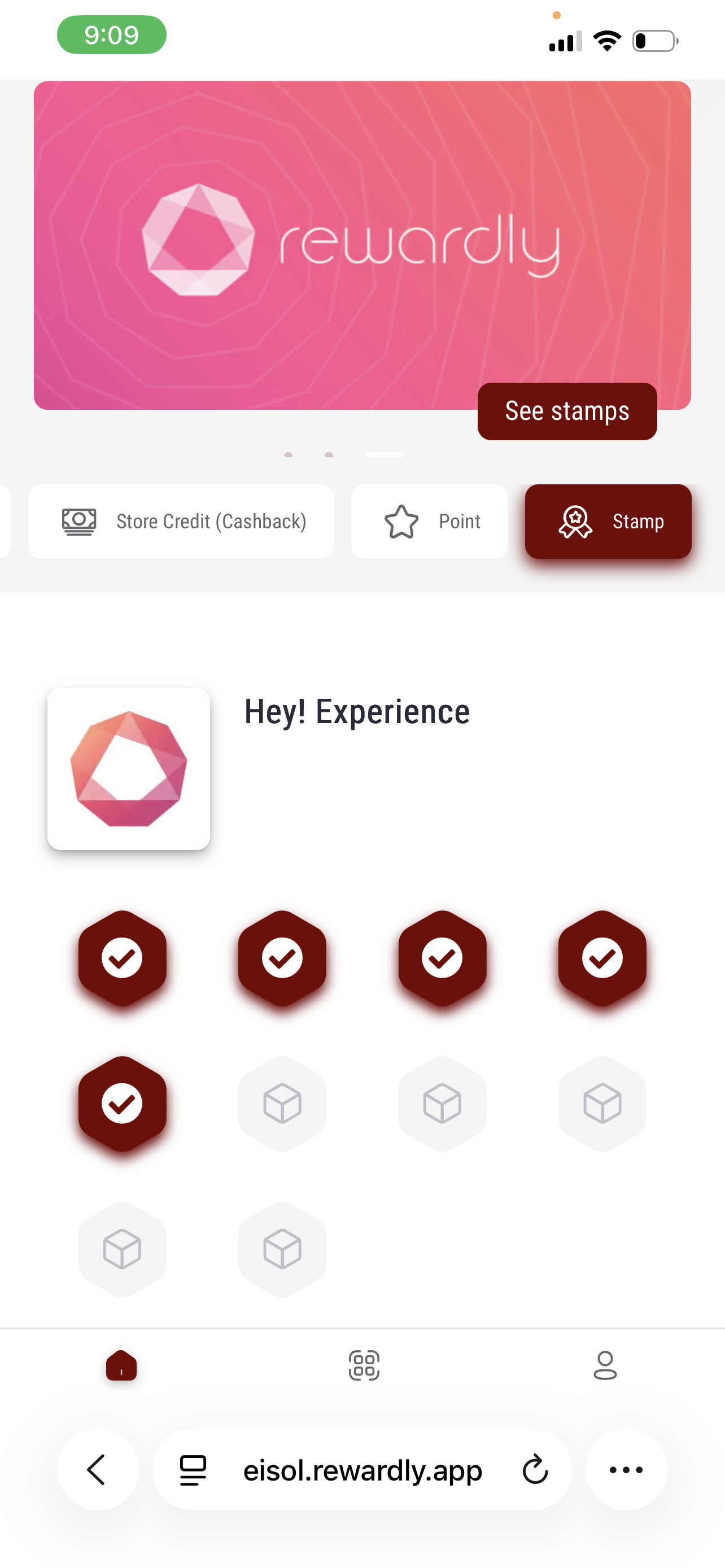
Build your programme around membership tiers, points, digital stamps, vouchers or store credit and cashback. Enable the rewards that fit your business—not a discount on every order.
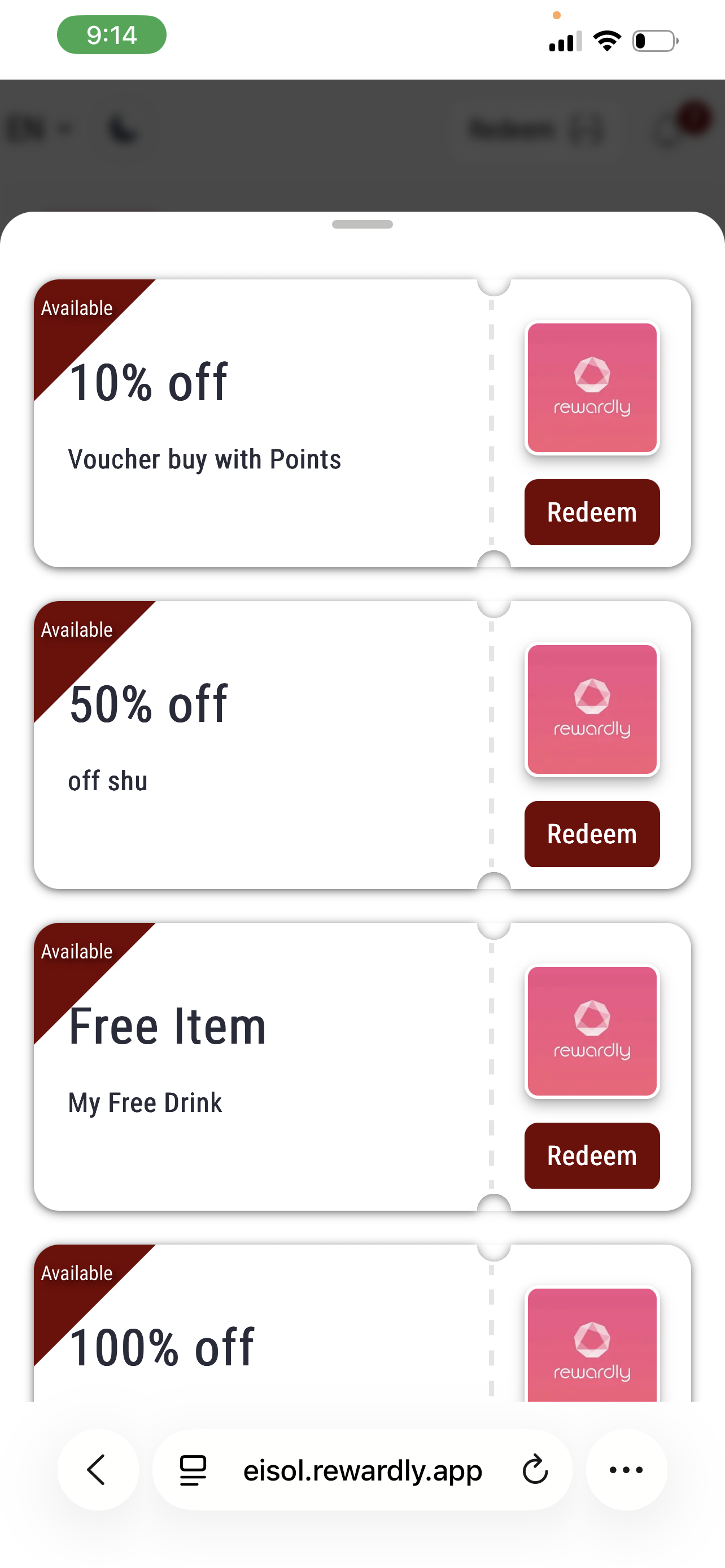
Introduce membership and a welcome voucher as part of your customer experience.
Give progress a purpose.
Make points and digital stamp progress visible, with rewards to work towards.
Keep the next visit in reach.
Bring available vouchers and redemption options into the customer’s hands.
View screenWelcome vouchersA reason to start the relationship.View screenDigital stampsA visible reason to keep coming back.View screenPoints & rewardsBenefits customers can see and redeem.
Screens show example merchant and demonstration programmes. Reward values, earning rules, eligibility, expiry and redemption are merchant-configured; the illustrated offers are not a current public promotion.
More than the meal
Make room for gifting, too.
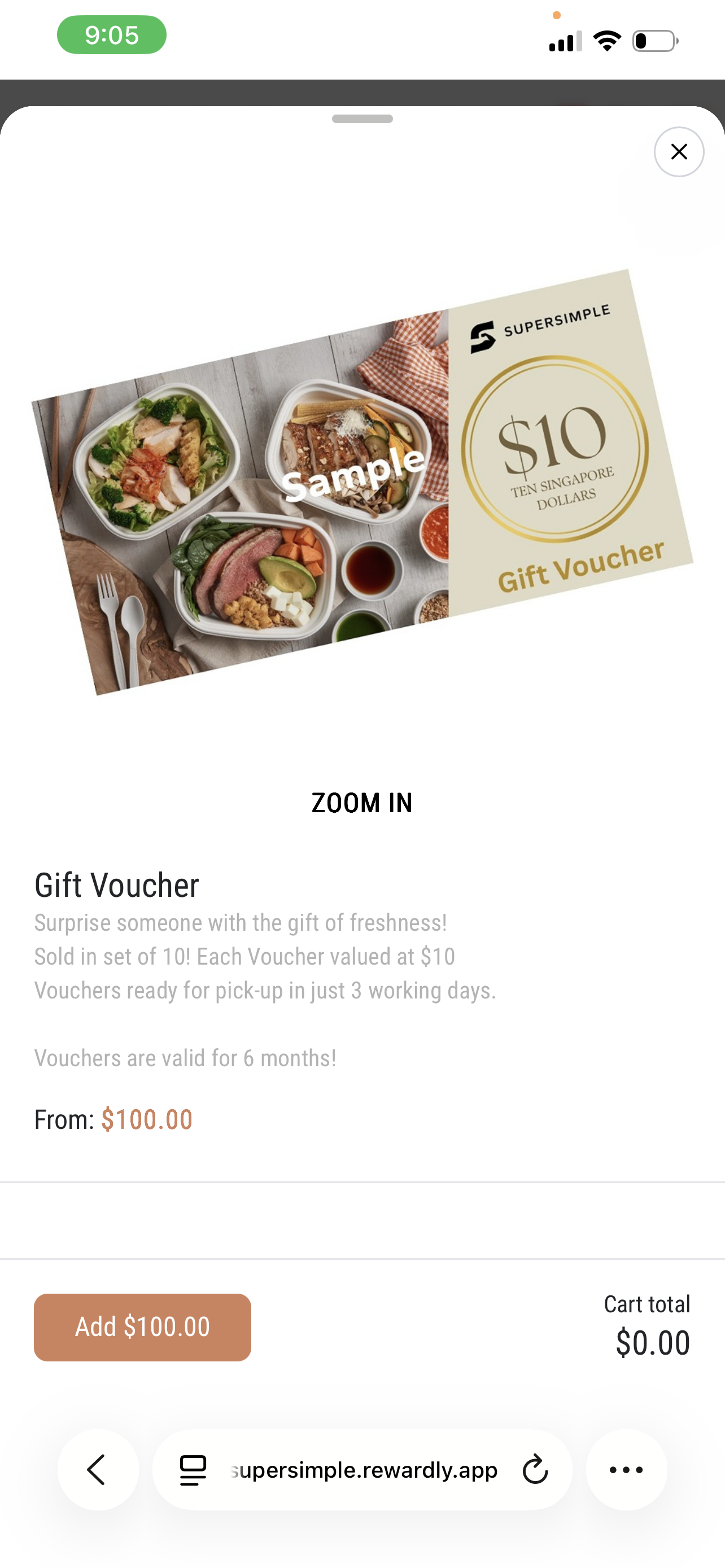
Your digital catalogue can extend beyond food and drinks. Super Simple’s example shows a gift-voucher product with value, collection information and terms displayed before it is added to the cart.
Use a clear product journey for gift purchases alongside everyday ordering. Voucher fulfilment and redemption terms depend on your programme.
View screenGift-voucher orderingSuper Simple · example product and terms
Native Rewardly POS integration
Self-service for guests. A connected flow for your team.
QR ordering is part of Rewardly CommerceOS—not just a menu sitting beside your POS. Connect digital orders with Rewardly POS, kitchen preparation and order fulfilment, while LoyaltyOS and the Customer App support the relationship beyond checkout.
01 / ORDER
The customer chooses.
Browse the menu, select options and place a dine-in, take-out, delivery or pre-order.
02 / PREPARE
The team takes over.
Keep the order and its details in the connected POS and configured kitchen workflow.
03 / FULFIL
Complete the handover.
Serve at the table or manage the agreed collection or delivery process.
04 / RECONNECT
Keep the relationship.
Give customers access to membership and rewards through the Customer App.
Rewardly QR ordering is a self-ordering system for restaurants and cafés. Customers access a digital menu through a QR code or ordering link, choose items and options, and place an order through the merchant’s configured journey. Rewardly connects this with POS operations and loyalty capabilities for dine-in, take-out, delivery and pre-orders.
A view-only QR menu presents information. Digital ordering adds item selection and order submission. Rewardly goes further by connecting that order journey with membership, vouchers, points and digital stamps through its wider platform.
Make your next order the start of something.
See your menu. Your workflow. Your rewards.
Bring your menu and tell us how you serve. We’ll walk through the ordering modes, POS connection and loyalty programme that fit your restaurant.
QR ordering lets guests scan a QR code on their phone to open a restaurant’s digital menu, select dishes and options, and place an order. Rewardly connects self-ordering with POS operations and customer loyalty, with payment and fulfilment configured for each merchant.
How is QR ordering different from a digital menu?
A view-only digital menu shows dishes and prices. A QR ordering system also lets the customer choose items, customise the order and submit it. Rewardly adds connections to POS, fulfilment and loyalty through the wider Rewardly platform.
Does Rewardly support dine-in, take-out, delivery and pre-orders?
Yes. Rewardly supports these digital ordering journeys. Your enabled channels, ordering times, payment choices and collection or delivery arrangements are agreed during setup. Delivery service coverage and charges depend on the selected fulfilment arrangement.
Can customers choose a date and time for a pre-order?
Yes. The Rewardly pre-order journey includes date and time selection. Available slots and operational requirements are configured for the merchant, so customers can plan ahead within the ordering options you provide.
How does loyalty work with Rewardly QR ordering?
Rewardly connects digital ordering with LoyaltyOS and the Customer App. Merchants can configure membership tiers, points, vouchers, digital stamps, store credit and cashback as part of their programme. Earning and redemption depend on eligibility, channel support and the rules agreed for the setup.
Is Rewardly QR ordering integrated with Rewardly POS?
Yes. QR ordering is part of Rewardly CommerceOS and connects with Rewardly POS. Kitchen preparation, payment and fulfilment flows are configured around your service model. Ask for a demonstration of your exact workflow, including how rewards are handled.
Do guests need to download an app to order?
The supplied Rewardly ordering screens run in a mobile web browser. Customers can open the ordering experience from a QR code or link without installing a separate native app. Membership and reward access may require customer sign-in.
Can guests customise dishes and choose add-ons?
Yes. Rewardly supports product choices such as sizes and add-ons. The Jeong’s Jjajang example shows set-meal selections, noodle sizes and additional prices before the item is added to the cart.
What should I compare when choosing a QR ordering system in Singapore?
Compare the customer ordering experience, supported service modes, POS and kitchen integration, loyalty capabilities, setup and support. Confirm software scope, payment fees and any delivery charges in your quotation rather than comparing only a headline subscription price.