
Set a clear expectation.
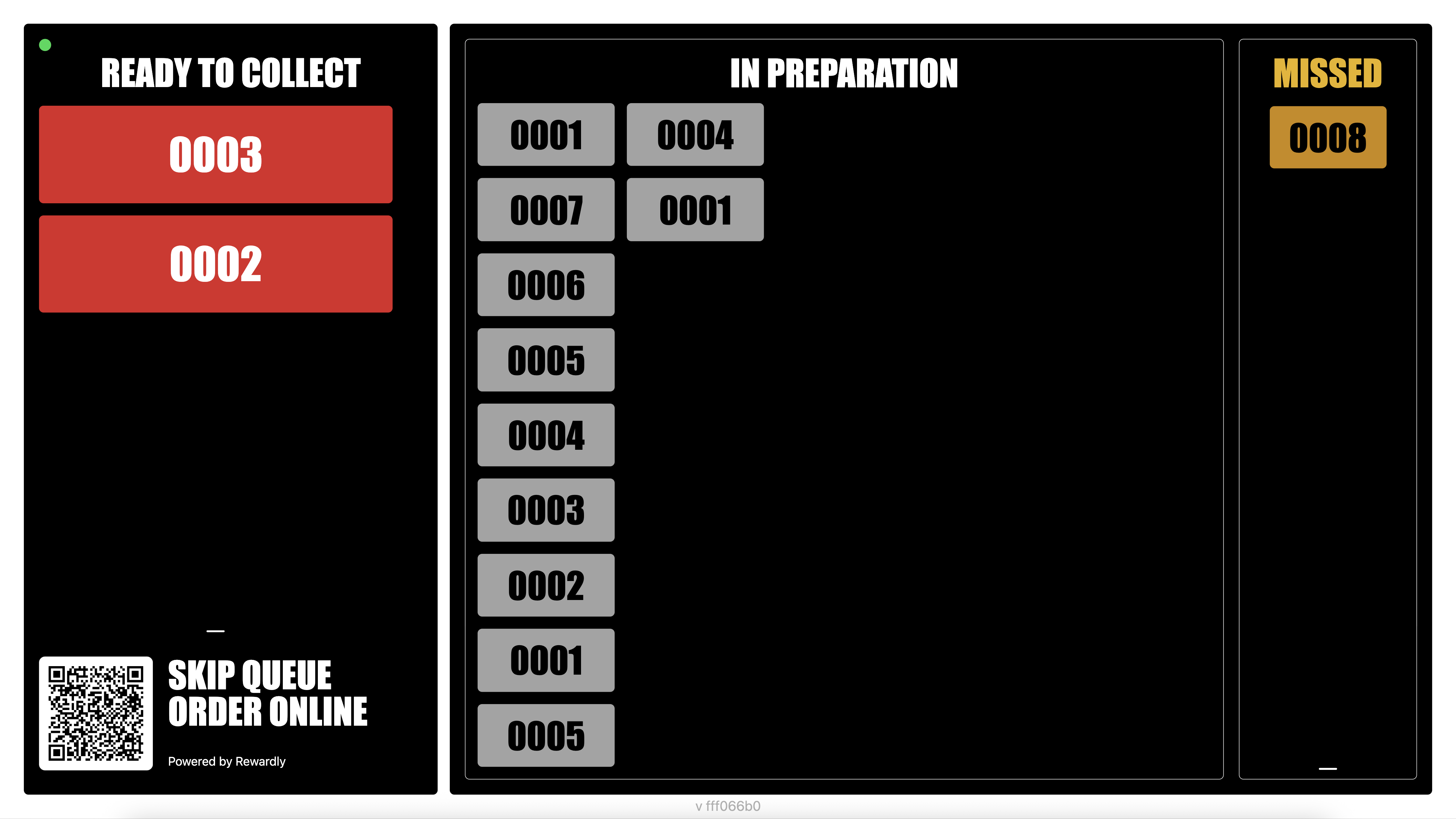
Keep orders that are still being prepared visible, so customers can check their number without repeatedly asking the counter team.
CommerceOS / Queue management
A clearer pickup experience, from kitchen to collection.
Rewardly’s restaurant queue management system connects your KDS and Expedite display with a customer-facing order collection screen. Show live order status, announce ready orders with a customisable voice and organise fulfilment across multiple stations.
 Enlarge screen
Clarity at the collection point
Give customers a visible reference while they wait. Clear order numbers and separate status areas help them see when to approach the pickup point, leaving your team more room to focus on service.
Keep orders that are still being prepared visible, so customers can check their number without repeatedly asking the counter team.
Bring ready order numbers into a prominent collection area, helping customers recognise when it is time to pick up.
A separate missed-order area gives customers and staff a clear reference when an order has not been collected after being called.
Seen on screen. Heard in the outlet.
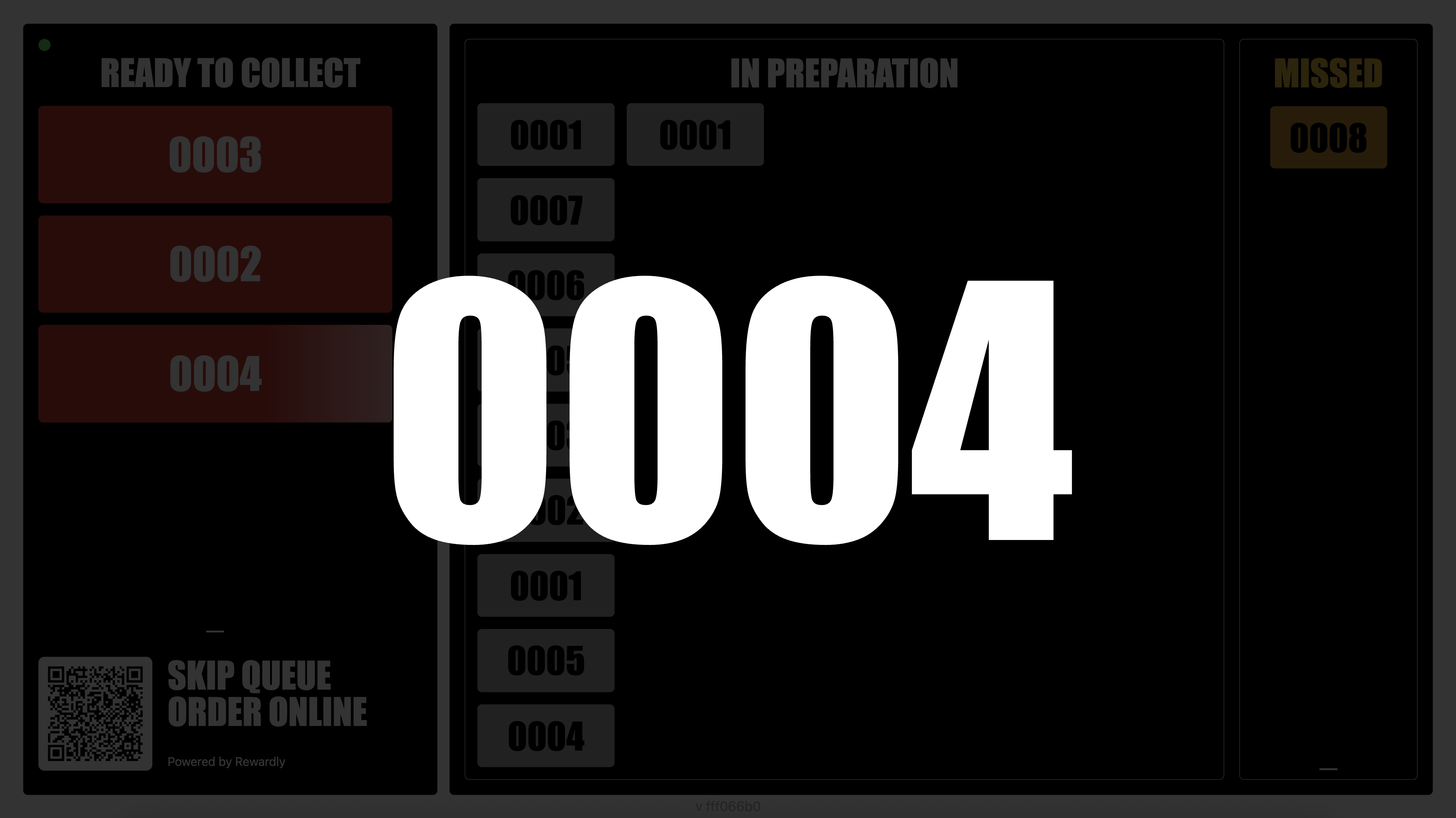
Real-time notifications combine a prominent on-screen order number with customisable voice announcements. Help customers notice their call, even when their attention is elsewhere.
Set up the voice announcement to suit your outlet, and check speaker placement and volume in the actual service environment.
 Enlarge screen
The screenshot illustrates the visual notification. Voice options and audio output are configured during setup; a static image does not demonstrate the voice itself.
Integrated with Rewardly KDS and Expedite
Connect what happens in the kitchen with what customers see at the collection point. Rewardly KDS supports preparation, while the Expedite display helps your team coordinate the handover.
Keep preparation work with the kitchen team and the relevant fulfilment stations.
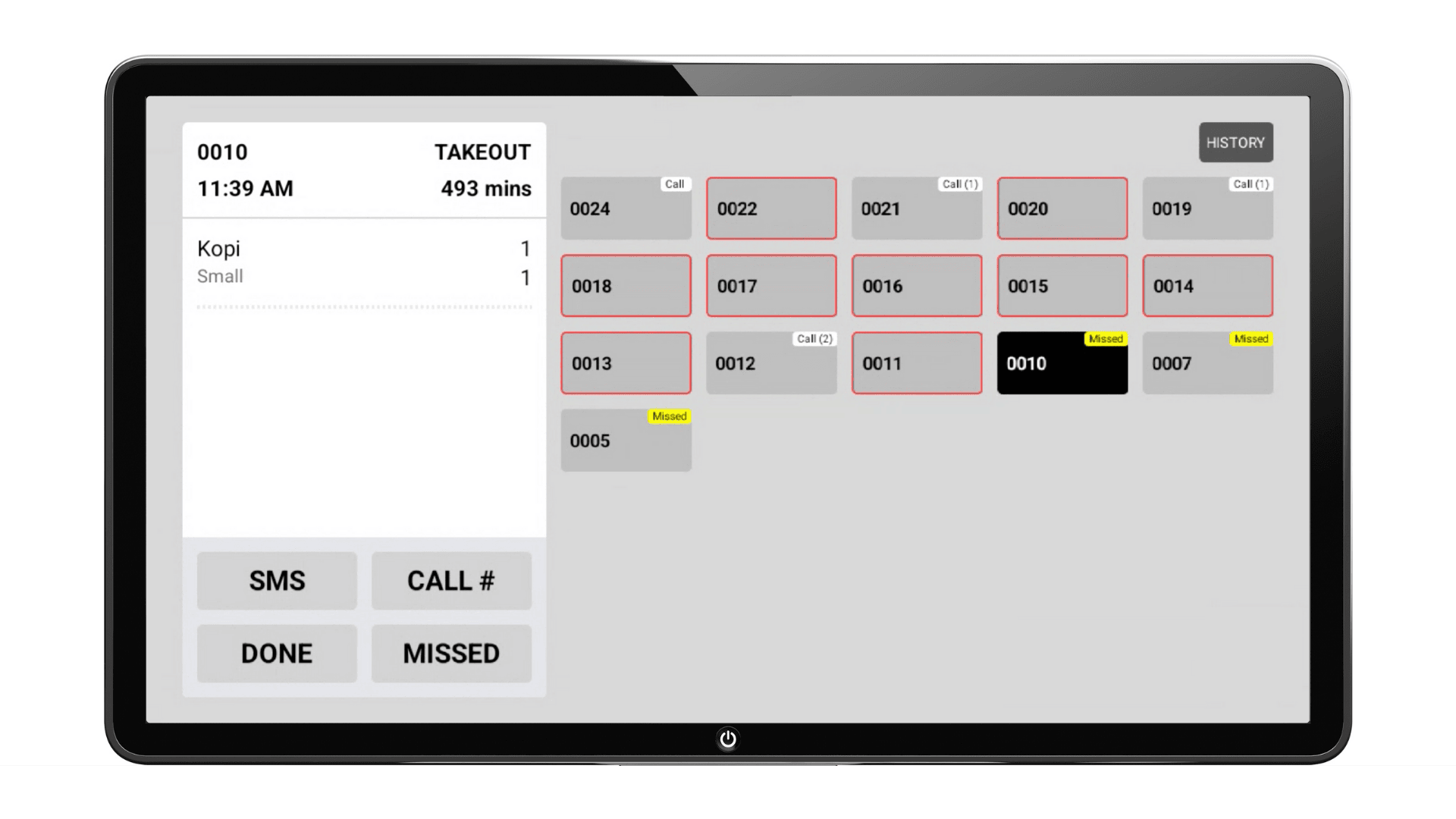
Review the order and manage calling, completion and missed collection from the staff-side view.
Show the customer-facing order status and notify customers when their order is called.
 Enlarge screen
The staff-side view
See the selected order’s items alongside the order-number grid. Call indicators and missed labels help staff follow the collection state while they manage the pickup point.
Explore Rewardly KDSAgree the preparation, calling and completion rules for your operation during setup. Screens show example orders and timings. The SMS control visible in the supplied Expedite image is not a promise that messaging service is included in every setup.
Category-based product filtering
Filter the product display by category for multi-station fulfilment. Help each team focus on the items it handles, rather than working through an undifferentiated list.
Example / Drinks
Show the beverage categories relevant to the drinks station.
Example / Hot kitchen
Display the food categories prepared by the kitchen team.
Example / Dessert
Use a category-filtered view for desserts or another fulfilment station.
These are example station arrangements. Configure category filters and agree how multi-station orders are coordinated before calling the customer for collection.
Use the screen that suits your space
Position the queue display where waiting customers can see it. Rewardly supports desktop PC and compatible Android TV setups, as well as a modern TV connected to a suitable device through HDMI.
Run the display on a compatible desktop computer and monitor at your collection area.
Use a supported Android TV setup for a large, easy-to-see customer-facing screen.
Connect a compatible PC or playback device to the TV’s HDMI input to show the queue display.
An HDMI port provides a display connection; the TV still needs a compatible connected device unless it can run the supported software itself. Confirm operating-system support, network access, resolution and speaker output before installation.
Your business. Your workflow.
Bring your menu, your busiest service scenario and your questions. Let’s walk through them in Rewardly.
Good questions
Rewardly Queue Management is an order collection and queue display system for restaurants, cafés and other pickup operations. It connects with Rewardly KDS and Expedite display to show order status and notify customers when their order is called.
Yes. Rewardly Queue Management integrates with Rewardly KDS and Expedite display, connecting preparation and staff-side collection management with the customer-facing queue screen. The exact calling and completion workflow is configured for your operation.
Yes. Rewardly supports real-time notifications with a customisable voice, alongside a prominent on-screen order number. Confirm available voice settings and the audio setup for your outlet during implementation.
Yes. Product display can be filtered by category for multi-station fulfilment, such as drinks, hot food or desserts. Configure each station’s categories and agree how orders spanning multiple stations are coordinated before collection.
The supplied Rewardly screen separates orders into Ready to Collect, In Preparation and Missed areas. A large order-number notification draws attention to the order being called.
Yes. Rewardly supports compatible desktop PC and Android TV setups. A modern TV with HDMI can display the system through a suitable connected PC or playback device. An HDMI port alone does not run the software; confirm device, network and audio compatibility before installation.
This page covers order preparation and pickup queue management. For restaurant reservations, table management and guest waitlists, explore TableReady by Rewardly.