
Welcome a new relationship.
Use membership, welcome vouchers and referral rewards to give new customers a meaningful first step.
Explore membership ↗Rewardly ProfitOS / The connected platform
Turn ordering, payments, kitchen operations and customer rewards into a service journey that works together.
From the first order to the next visit, build around the way your restaurant, café or food business actually runs.
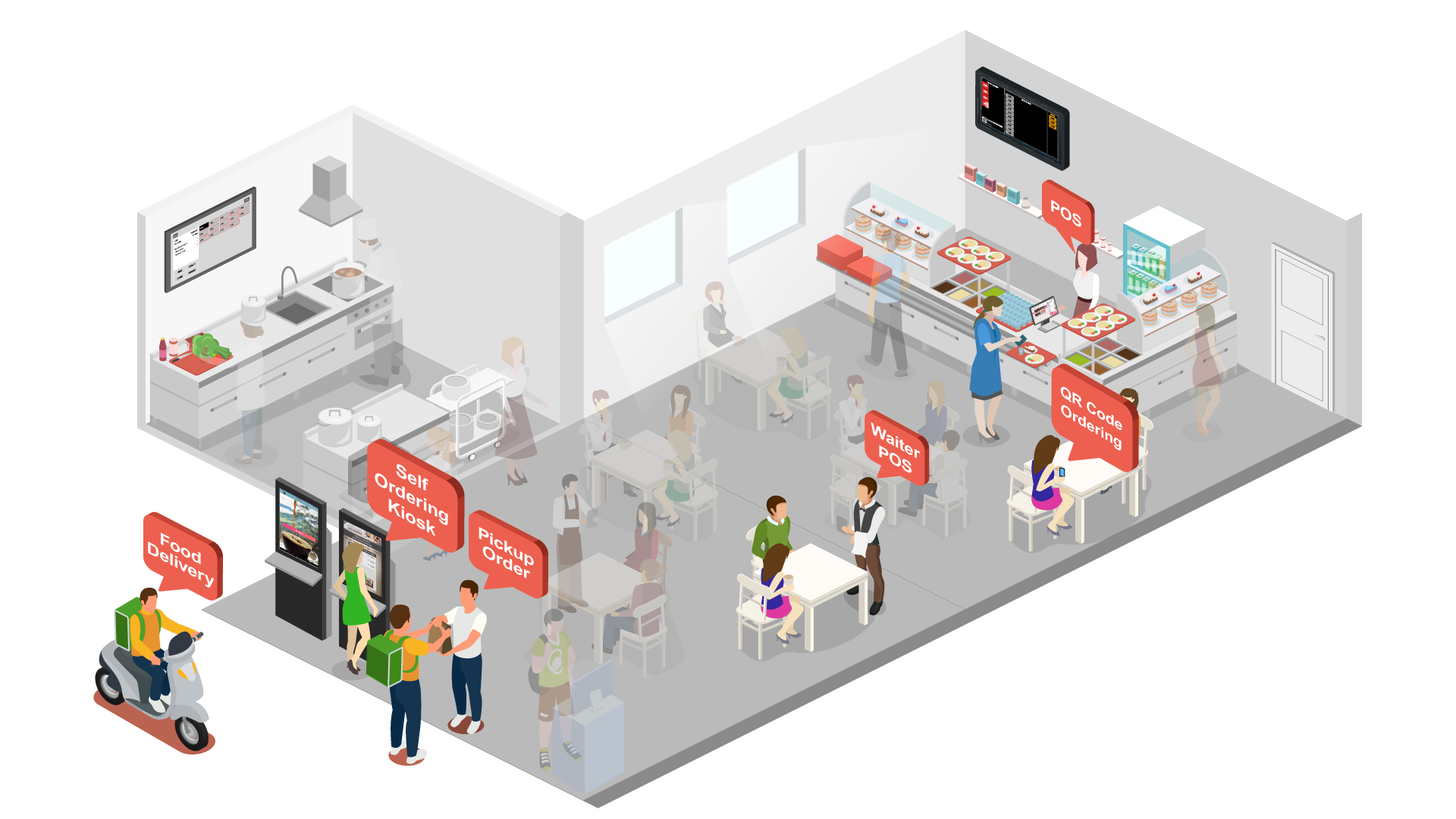
01 / Grow sales
A busy counter, a relaxed table or a quick takeaway: give each customer an ordering experience that fits the moment.
Keep orders, modifiers and checkout clear for your team. Give staff a practical starting point for a connected service.
Explore POS ↗02 / At the tableLet guests browse and order on their own phones, with membership and rewards close to the purchase.
Explore QR ordering ↗03 / Self-serviceGive customers another way to explore the menu, customise their order and pay, while staff focus on service.
Explore Self-ordering kiosk ↗04 / At checkoutConnect the purchase to the payment journey. Explore in-person and online options for the channels you operate.
Explore Connected payments ↗Bring your takeaway, delivery and outlet requirements into the same discussion. Map channel-specific menus, prices, availability and fulfilment workflows, and confirm the integrations your rollout needs.
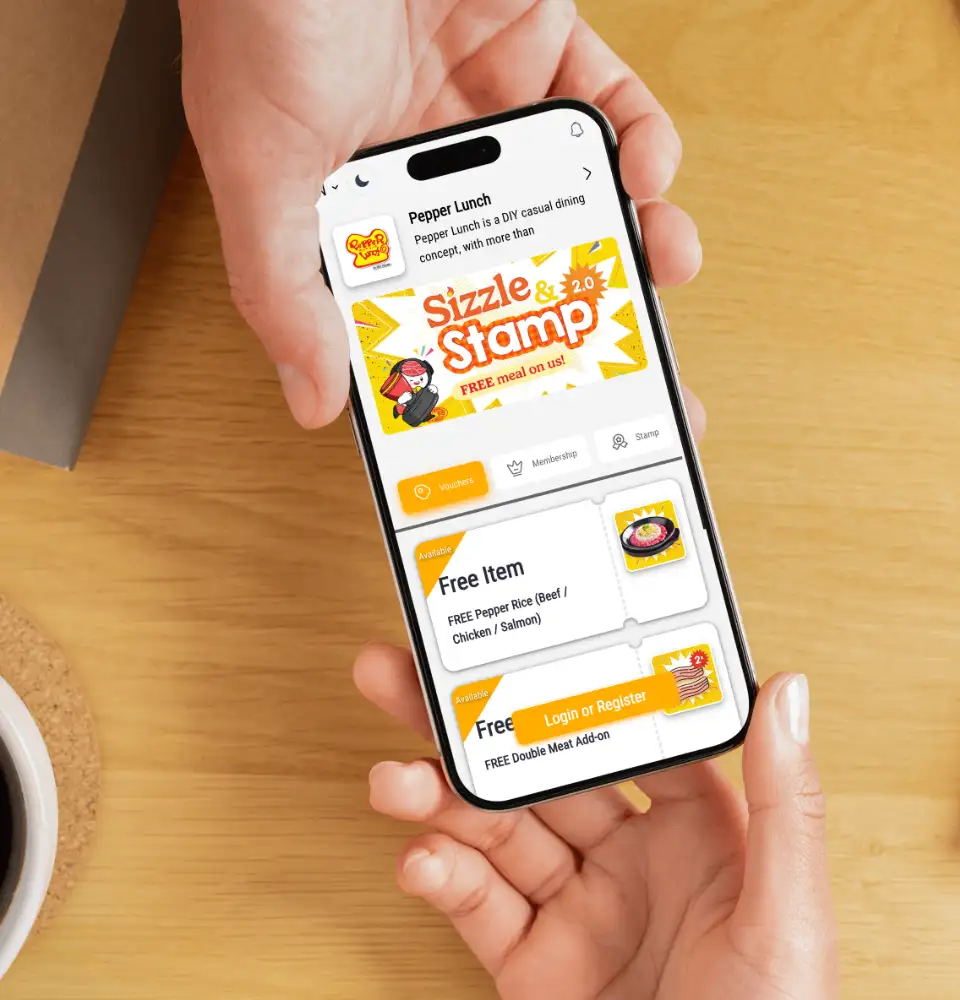
02 / Bring customers back
LoyaltyOS connects the purchase with a reason to return. Start with an easy-to-understand benefit, then deepen the relationship.
Use membership, welcome vouchers and referral rewards to give new customers a meaningful first step.
Explore membership ↗Design points, stamps and feedback programmes around the experiences and behaviours that matter to your brand.
Explore digital stamps ↗Offer vouchers, store credit or prepaid packages that fit how customers like to enjoy your food and drinks.
Explore LoyaltyOS ↗03 / Simplify operations
A good guest experience depends on what happens between checkout and handover. Make each team’s next action clear.
Keep products, quantities and modifiers visible so preparation starts with the customer’s choices.
Separate product categories: drinks to the beverage KDS, food to the kitchen KDS.
Use order timers and item status to follow progress. An expedite checklist helps the service team check the handover.
Connect preparation with queue and collection displays, so customers know when their order is ready.
Bring menu availability and stock checks into daily operations. Review ingredient quantities, low-stock indicators and adjustments as part of the workflow—not only when something runs out.
04 / Understand the business
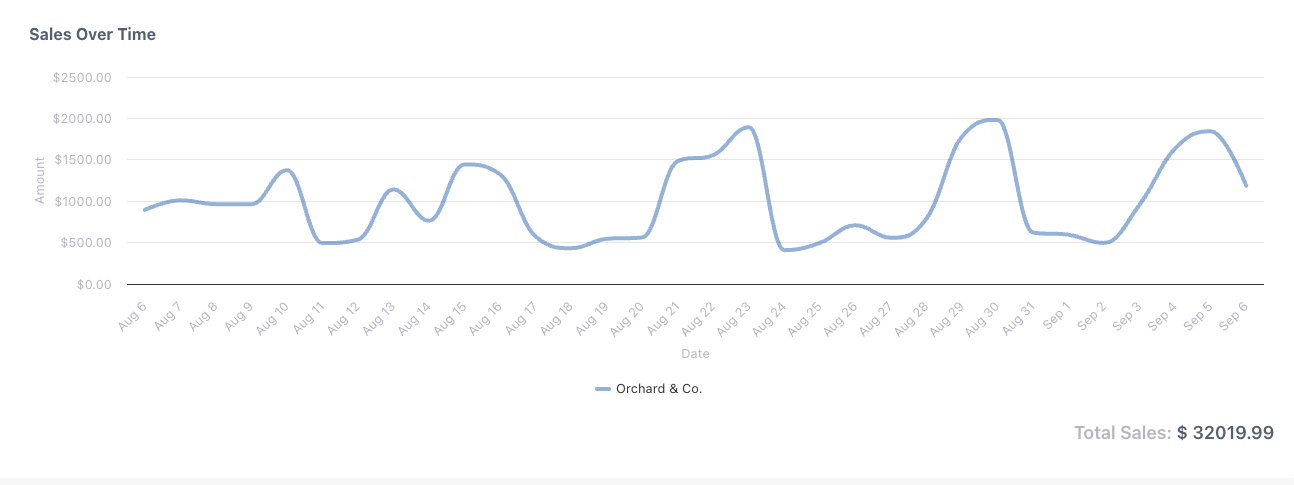
Bring sales reporting into a regular management conversation, from the service floor to the business owner.
 View screen ↗
Actual Rewardly reporting screen. Orchard & Co. is a fictional name replacing the merchant identifier. Report values and controls are unchanged; the figures are not a performance forecast.
Review trading patterns and ask where the team needs support. Connect the numbers with what staff experienced during service.
Review the available transaction detail and agree the reconciliation and export workflow your business needs.
Use a consistent view of performance to frame decisions about menus, campaigns and the next stage of growth.
Start with a real service scenario
You do not have to begin with every module. Start with the part of your business that needs attention, then agree a practical rollout.
Bring your menu, devices, payment requirements and busiest order to a walkthrough. Include membership, stock and multi-outlet needs so the setup has room for your next step.
Good questions
The POS is the counter ordering and checkout tool. The platform overview shows how POS can work alongside QR ordering, kiosks, kitchen displays, payments, loyalty and inventory. Visit the POS page for the detailed cashier workflow and hardware discussion.
No. Start with the workflows your business needs and confirm the included modules, optional services and hardware in your quotation. The overview illustrates connected capabilities, not a promise that every product is included in every plan.
Discuss each ordering channel during your walkthrough, including its menu, pricing, availability and fulfilment process. Confirm the specific delivery integrations and configuration supported for your business before rollout.
Yes. Explore category-based KDS routing, the expedite checklist for service staff and the customer-facing collection display. The team can demonstrate the configuration for your stations and service model.
Bring your menu, outlet setup, devices, current customer programmes and reporting requirements. Agree what needs to move, what can be retained and how the team will practise the new workflow before launch.