
Choosing a POS system in Singapore starts with the business you want to run. A café may need a simpler morning queue; a restaurant may need clearer table service; a growing brand may want customers to use their member benefits across agreed outlets. The useful question is whether the proposed setup makes those everyday moments easier.
A basic cash register can be enough when your team needs to total counter sales, give receipts and count cash at closing. Consider a POS system when you also need itemised orders, kitchen instructions, member rewards or reports by outlet. A payment terminal accepts payments through an enabled provider. If it runs separately, ask how staff match its payment records to orders at the end of the shift.
Start with the problem your team feels every day
Write down where service becomes difficult. Do staff repeat order details to the kitchen? Do online orders interrupt the counter? Do guests struggle to understand a reward? Does the owner spend too long matching sales and payments at closing? Pick the most costly or frustrating problem first.
Enterprise Singapore’s F&B Process Optimisation Programme describes process redesign through layout, technology, menu engineering and job redesign. Its undated programme page, checked on 26 October 2026, supports a useful buying principle: plan the work around the system, as well as the equipment around the counter.
The Food Services Industry Digital Plan refresh announced on 16 July 2025 also links digital adoption with skills and customer experience. This is older context, not a new announcement. A successful rollout needs staff who understand the service process and know when to help a guest.
Which checkout equipment can you keep?
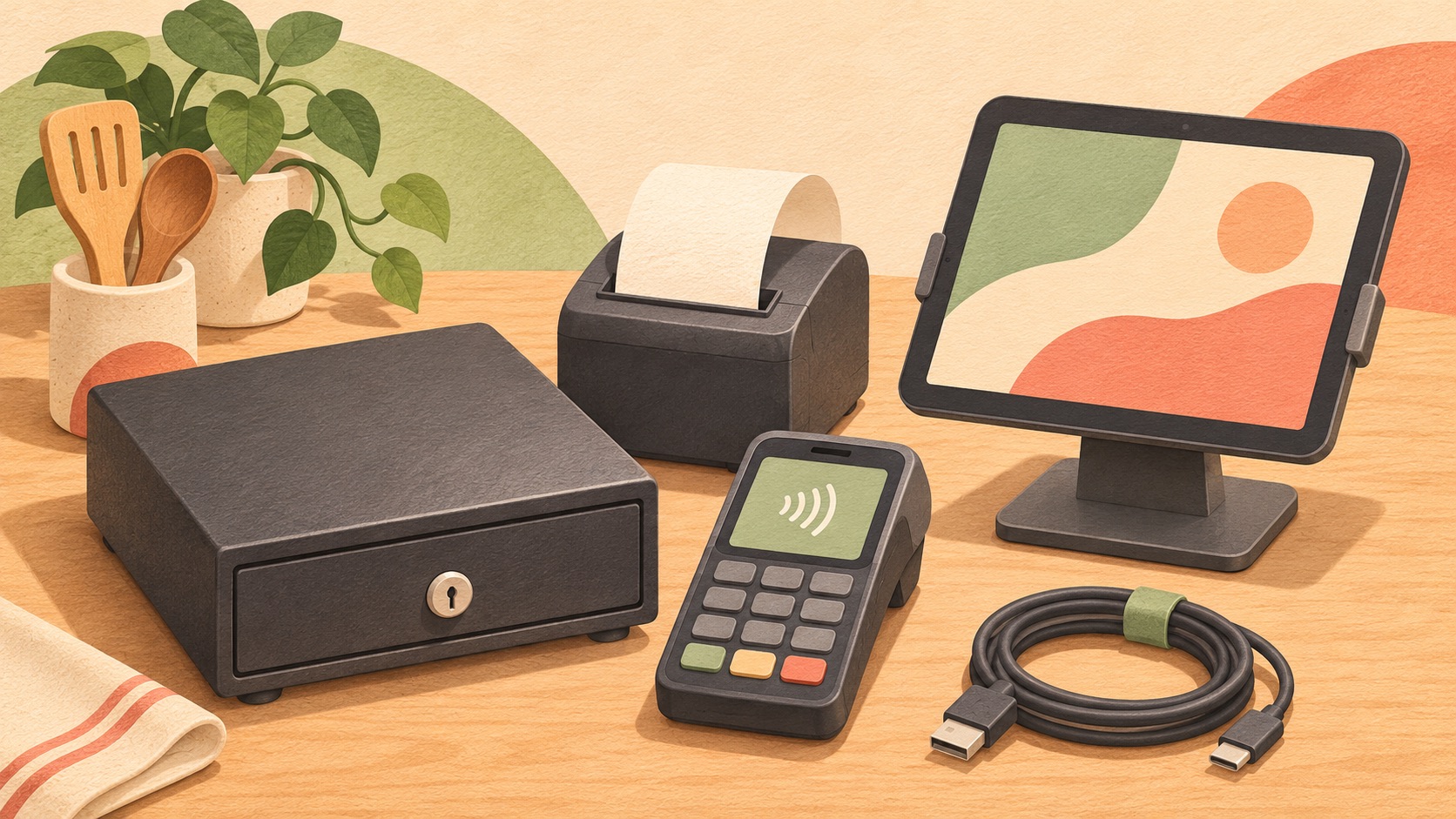
List your tablet or register, cash drawer, receipt printer and payment terminal. Record each model, how it connects and who supports it. Bring that list to the demo. Ask the supplier to mark each item as reusable, needs testing or needs replacing, and to put any extra costs in writing. The Rewardly hardware enquiries page gives you a starting point.
One order to test the whole setup
Imagine a café with a working printer and drawer that wants to recognise regulars. Ring up an order with a milk change and check what the preparation team sees in CommerceOS. Attach a test member before paying, then check in LoyaltyOS that an eligible purchase appears in the member’s history. With the proposed PaymentOS setup, make a test payment on the supported route and check the receipt and payment status. Ask who investigates an uncertain payment before another attempt, using a test order and the provider’s verification steps.
CommerceOS: choose a selling flow your team can follow
CommerceOS brings together POS, online ordering, self-ordering kiosks and kitchen workflows. For the merchant, the value is a clearer journey from a customer’s choice to preparation and collection. Confirm which channels and modules form part of your proposed setup.
For table service, ask to see ordering, table management and bill handling together. For takeaway, consider whether a self-ordering kiosk or QR ordering suits your customers and available space. For advance orders, review the eCommerce collection arrangements. More ordering channels are useful when preparation can keep up.
LoyaltyOS: make the next visit worth remembering
LoyaltyOS supports membership tiers, points, digital vouchers, digital stamps and other configured rewards. These give merchants different ways to thank regulars. Choose a benefit guests can explain back to you, with a cost the business can manage.
An illustrative coffee shop might start with a digital stamp programme for qualifying drinks. A restaurant might use a return-visit voucher, while a brand with frequent regulars could consider a membership tier with defined privileges. These are programme ideas, not measured customer results. Agree the qualifying purchases, reward value, expiry and redemption rules before launch.
PaymentOS: give the team confidence at checkout
PaymentOS supports configured payment methods, bill splitting and payment reports. A merchant needs a clear amount due, a reliable way to check the payment outcome and records that help explain the day’s takings.
Ask to see a refund and the closing report, as well as an ordinary sale. Confirm how the team checks provider settlement records, fees and timing differences. The payments overview helps frame the conversation; your approved methods, fees and settlement terms belong in the quotation and merchant agreement.
Compare complete quotations, not headline prices
Build a twelve-month comparison using the same outlets, registers, ordering channels and member programme for every supplier. Add one-off hardware, installation and training to twelve months of software, support and integration charges. Then add payment costs using your own expected mix of cards and local payment methods. Keep taxes, optional services and assumptions visible, rather than treating a low monthly fee as the complete price.
For each payment route, ask for both percentage and fixed charges, the applicable card categories, refund charges and settlement terms. Check when money becomes available and which provider explains a payout difference. Online and counter orders may have different charges. Do not assume a single advertised rate covers every card, wallet, channel or settlement arrangement; get the terms for your actual business in writing.
For Rewardly, bring those requirements to a business walkthrough and review the current pricing options. Confirm modules, equipment compatibility, support and payment terms in the proposed scope. No illustrative checklist or general price comparison establishes a percentage saving for your business.
Check current grant rules before planning the purchase
Enterprise Singapore’s current EDGE Grant page, checked on 26 October 2026, states that EDG, MRA and PSG ceased on 29 September 2026, with new applications under EDGE from 30 September. Existing submissions and projects continue to be processed. This policy change predates today’s review.
Use the current activity requirements when assessing a project; an old PSG headline does not confirm eligibility today. Check the applicable sector, supported costs, vendor requirements and application timing before work or payment begins. This guide does not establish that a Rewardly package qualifies for grant support. Choose operational fit first and verify funding separately.
Run five practical tests before choosing a POS
- Mixed orders: enter a counter order with a modifier while an online order arrives. Check preparation instructions, collection details and what staff do when something changes. CommerceOS connects selling and ordering workflows; confirm the channels included in your proposed setup.
- Outlet differences: use two locations with different prices or availability, then follow a kitchen-to-outlet stock handoff. Check which location owns the quantity and records consumption. A central-kitchen batch and an outlet sale should not deduct the same ingredients twice; the correct stock and recipe setup matters.
- A returning guest: attach a member, complete an eligible purchase and try a reward on a later order. With LoyaltyOS, check qualification, expiry and participating outlets. Test counter, online and kiosk journeys separately; do not assume redemption conditions apply identically across channels.
- A payment exception: demonstrate a declined or uncertain payment, an authorised void or refund and the resulting records. With PaymentOS, agree the actual enabled methods and verification steps. Order completion, payment confirmation and provider settlement are different events; ask how staff distinguish them.
- Closing and handover: review the same trading day by outlet and payment type, inspect discounts and export the records your accountant needs. Ask a new staff member to repeat the routine. Request a separate demonstration of what remains usable during an internet outage; recording an order offline does not prove a card can be authorised offline.
Before signing, agree onboarding, support hours, escalation contacts, data exports and contract exit terms. Ask to see an export you could actually use, and confirm which records it includes. Set a realistic cutover and staff-training plan. After rollout, compare similar shifts for remakes, requests for help and closing effort; no checklist guarantees higher revenue or a fixed saving.
The right POS choice gives your team a workable selling process, your guests an understandable reason to return and the owner clearer payment records. Book a Rewardly demo to explore CommerceOS, LoyaltyOS and PaymentOS around the business needs that matter most to your outlet.