
Capture the details once
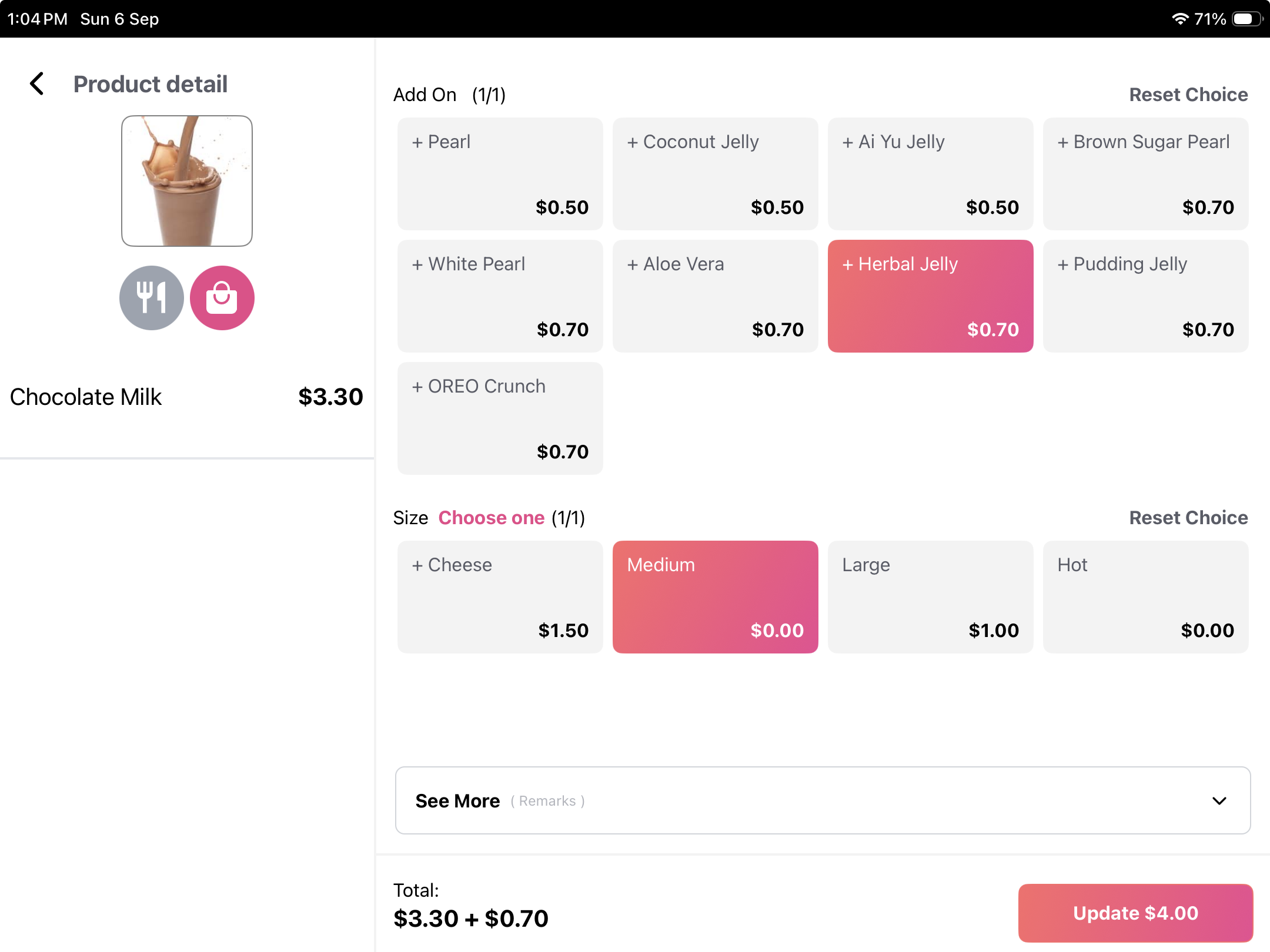
Organise size, milk choices and extras as product options so the barista can see what the customer ordered.
Cafe · Singapore
Keep drink choices, food orders and rewards connected from the morning rush to the afternoon regular. Rewardly POS and kitchen displays help the barista and kitchen follow each order, while loyalty gives customers a reason for their next visit.
For Singapore F&B and retail businesses
 View screen ↗
Your service priorities
Organise size, milk choices and extras as product options so the barista can see what the customer ordered.
Route drinks and food by category to the relevant KDS stations. Keep preparation status and waiting time in view.
Explore digital stamps, points or prepaid coffee packages. Walk through earning and redemption at the counter and on enabled ordering channels.
Build your setup
A cloud POS for Singapore cafés, restaurants and retailers. Take an order, customise it and complete checkout—with the wider operation close at hand.
Explore Rewardly POS ↗02 / Rewardly solutionsQR ordering and self-ordering technology for dine-in, take-out, delivery and pre-orders. Connect your digital menu with Rewardly POS, membership, points, vouchers and digital stamps.
Explore QR ordering ↗03 / Rewardly solutionsKeep order details, modifiers and collection status visible in Rewardly KDS. Show the kitchen the information it needs to prepare and hand over each order.
Explore Kitchen display system ↗04 / Rewardly solutionsConnect memberships, points, digital stamps, vouchers and store credits with the customer’s ordering experience across Rewardly touchpoints.
Explore LoyaltyOS ↗Explore your business family
Connect counter orders, self-service and kitchen preparation for a casual dining operation that needs to move quickly without losing the personal touch.
Explore Casual Dining (QSR) ↗02 / Business typeBuild an ordering and collection setup around your food kiosk, with clear product choices and fewer handoffs between taking an order and preparing it.
Explore Food Kiosk ↗Make the demo useful
Ask the team to run a complete order, including your usual exceptions, modifiers and payment preferences. Confirm device requirements, staff permissions and commercial scope before deciding.
Your next step
Tell us how you take orders, serve customers and manage your outlets. We’ll help you identify the relevant modules and discuss setup, costs and what needs a closer look.