
Inventory · Ingredient control
Know what is available before the next order.
See quantities, units and low-stock states close to the team making the sale. Rewardly connects stock checks and replenishment workflows with POS, helping staff decide what needs attention and keep the selling operation informed.
For Singapore F&B and retail businesses
 View screen ↗
01 / StockOS
Spot what needs attention.
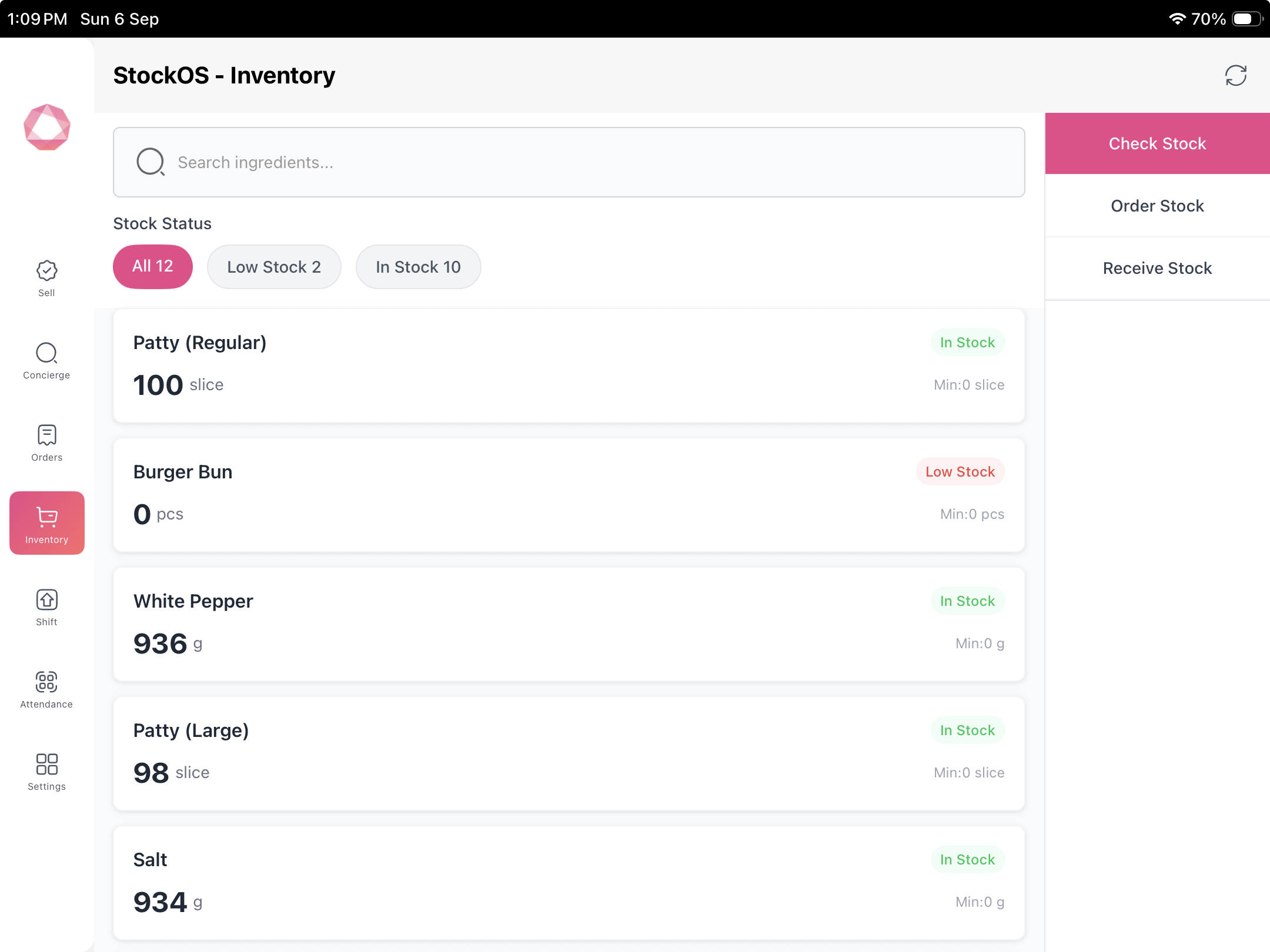
The stock view separates All, Low Stock and In Stock items. Ingredient quantities, units and minimum levels appear together, with a search field for quick checks.
View screen ↗02 / StockOS
Record a stock adjustment clearly.
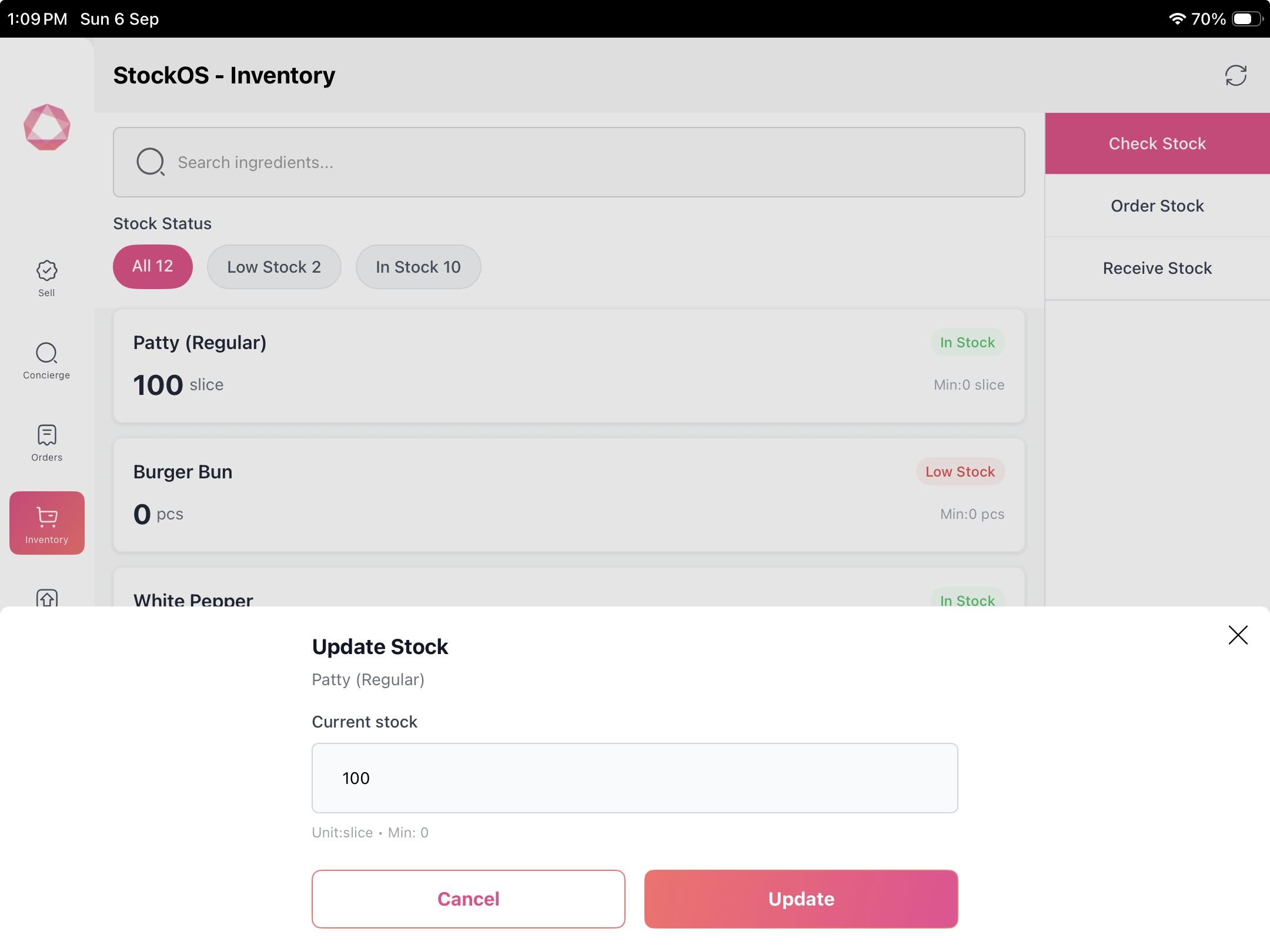
The update screen shows the ingredient, current stock, unit and minimum before a quantity is confirmed. Roles and inventory procedures should be agreed during setup.
 View screen ↗
Keep exploring
Works as part of a bigger picture.
Rewardly POS
A cloud POS for Singapore cafés, restaurants and retailers. Take an order, customise it and complete checkout—with the wider operation close at hand.
Explore Rewardly POS ↗02 / CommerceOSSelf-ordering kiosk
A self-ordering journey that brings product choices, add-ons, vouchers and gift cards to the customer—without sending them to a separate loyalty experience.
Explore Self-ordering kiosk ↗03 / CommerceOSKitchen display system
Keep order details, modifiers and collection status visible in Rewardly KDS. Show the kitchen the information it needs to prepare and hand over each order.
Explore Kitchen display system ↗Your next step
Find the right Rewardly setup.
Tell us how you take orders, serve customers and manage your outlets. We’ll help you identify the relevant modules and discuss setup, costs and what needs a closer look.
Good questions
A little more clarity.
Can I see this with my own business workflow?
Yes. Request a tailored demonstration using your menu, sales channels and operational requirements. The team can confirm device, payment and module compatibility before you choose a setup.
Are all modules included in every plan?
Scope, hardware, payment services and optional modules should be confirmed in your quotation. Screens illustrate available workflows, not a promise that every configuration is included in every subscription.